Wholesale distribution ERP: The top ERP systems for 2026




A Technical Look at ERP Software for Distributors
Wholesale distribution comes with technical challenges that generic business software does not always handle well. Distributors need to manage complex pricing, supplier data, backorders, purchasing, inventory, and customer-specific requirements without creating more manual work.
Yet many businesses still depend on spreadsheets, disconnected applications, and legacy ERP systems that make it difficult to maintain consistent data across daily operations.
VitalGap takes a distribution-focused approach to these challenges. Rather than treating distribution as an add-on to a general-purpose system, its product approach centers on the workflows wholesalers manage every day.
Here's a closer look at the technical capabilities that matter when evaluating ERP software for distributors, and how VitalGap's approach addresses these operational requirements.
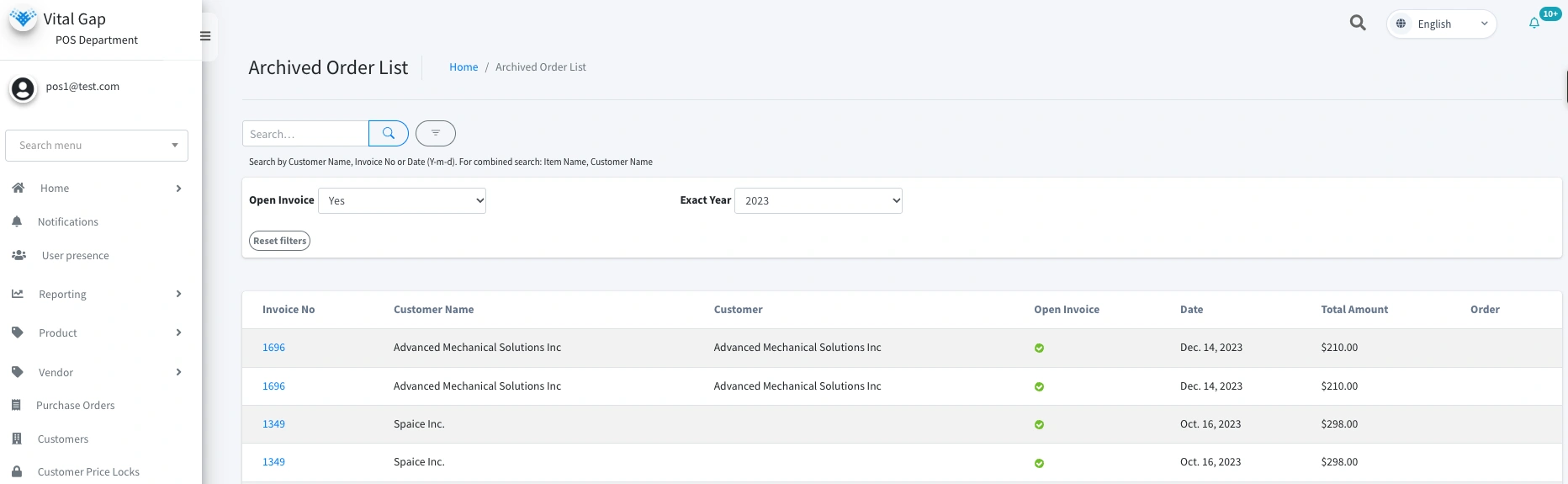
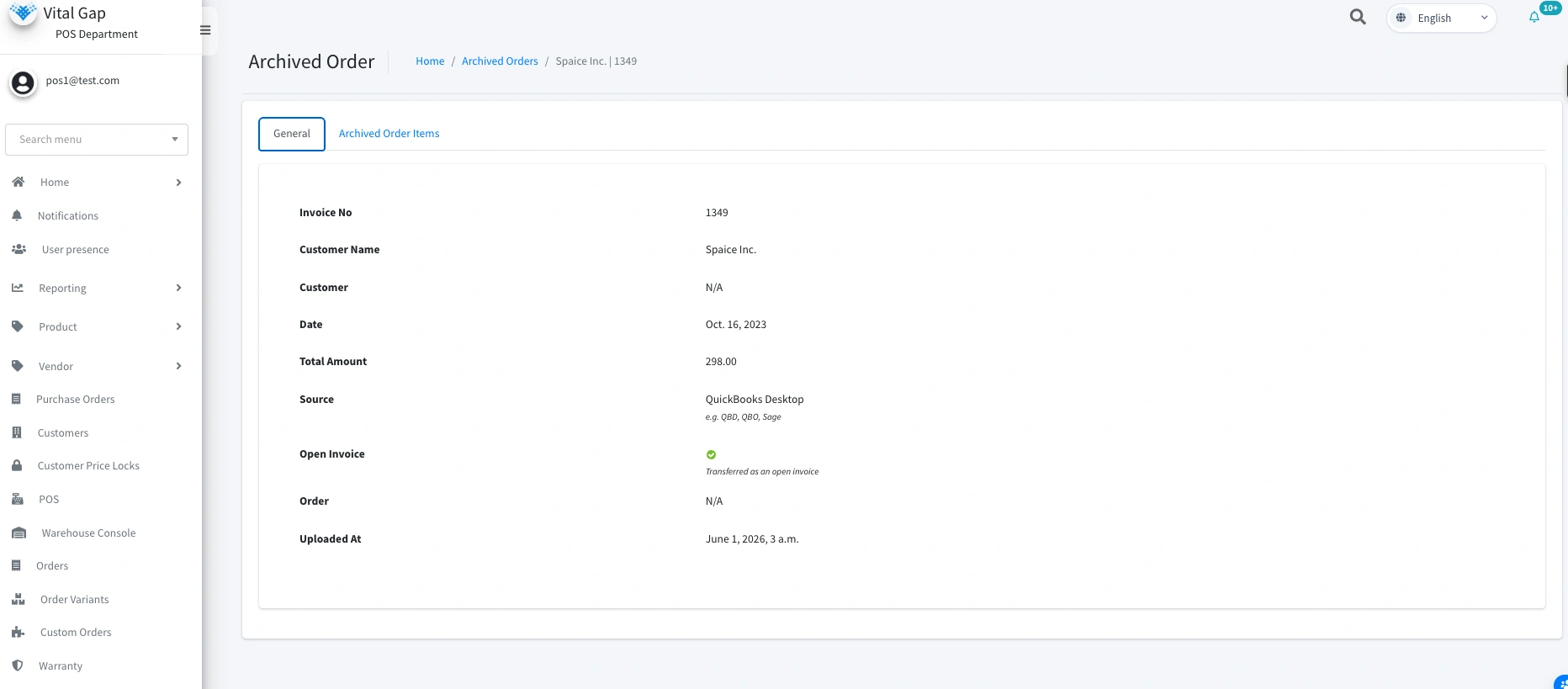
Distribution businesses rarely start with perfectly organized data. Product catalogs may come from suppliers, customer records may live in accounting software, and historical transactions may be stored in spreadsheets or legacy systems.
A rigid import process can make implementation more difficult by requiring extensive manual cleanup before useful information can be transferred.
A distributor-focused ERP should support a structured migration process that includes:
These capabilities can make implementation more manageable, but they do not eliminate the need for data preparation. Product identifiers, units of measure, customer records, and pricing information still need to be mapped and validated carefully.
For businesses migrating from existing accounting systems, the ability to preserve relevant historical information is another important consideration. See the guide to QuickBooks ERP history and migration for related planning considerations.
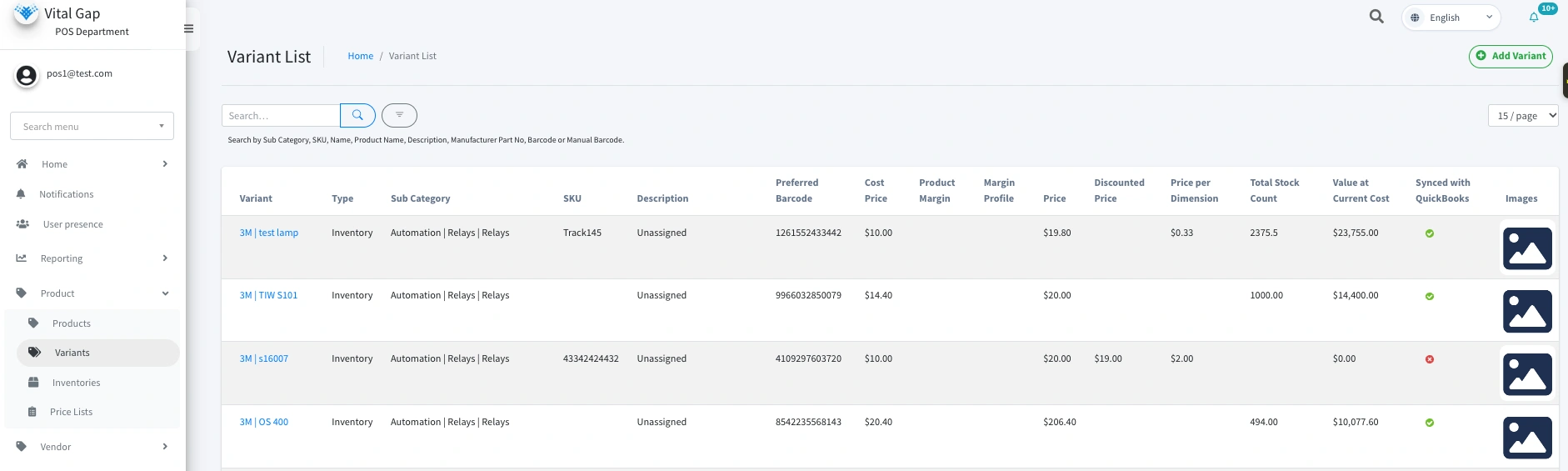

Pricing is one of the more demanding parts of wholesale distribution. Two customers may purchase the same product at different prices because of negotiated agreements, purchase volumes, promotions, or account-specific terms.
Managing these differences in spreadsheets creates room for inconsistent pricing and makes it harder for sales teams to understand profitability.
Distribution ERP software should support pricing rules that reflect the business's actual commercial requirements.
Important capabilities to evaluate include:
When margin information is available during the sales process, representatives can make more informed decisions instead of relying on separate calculations.
VitalGap provides information about its offerings on the pricing page. During a demo, ask how customer-specific rules are configured, how margin calculations work, and whether pricing changes can be traced to individual users.
The objective is not simply to calculate a price. It is to apply the correct pricing logic consistently while giving the business appropriate control over exceptions.
Replacing an ERP does not necessarily mean replacing every application your business already uses. Accounting, ecommerce, customer management, and other tools may still serve important purposes.
The challenge is making sure those systems exchange information reliably.
Depending on the integrations available, a distribution ERP may connect with other applications through APIs, supported connectors, structured file imports, or exports.
For example, integration workflows might support:
VitalGap's integration options should be evaluated against the specific systems and workflows your business depends on. Confirm which connections are native, which require configuration or middleware, and which need custom development.
If you are evaluating a more flexible integration architecture, read Why API-First ERP Matters for Wholesale Distributors.
A successful integration is more than a connection between two applications. It must also handle failed transfers, duplicate records, data validation, and synchronization issues appropriately.
Errors are difficult to avoid entirely in high-volume distribution operations. Missing prices, duplicate records, incomplete orders, and unusual transactions can create downstream problems if they go unnoticed.
An ERP should help teams identify issues early enough to investigate them before they disrupt fulfillment or financial processes.
Useful safeguards may include:
The specific checks available will depend on the platform and its configuration.
For example, a system may flag a sales order with missing pricing information for review rather than allowing it to proceed unnoticed. Similarly, an approval workflow may help control transactions that fall outside established business rules.
The goal is to make exceptions visible and manageable, not to create unnecessary approval steps for routine work.
Different employees need access to different parts of a distribution system. Sales representatives may need customer pricing and order information, while warehouse employees focus on inventory movements and fulfillment.
Giving every user unrestricted access can expose sensitive information and increase the risk of unintended changes.
A well-designed ERP should provide access controls appropriate to each role. Depending on the system, these controls may include:
Field-level permissions and detailed audit trails are particularly useful when a business needs more granular control, but they should be verified rather than assumed.
Access controls should also be reviewed periodically as employees change roles or responsibilities.
Security is not just about preventing unauthorized access. It is also about ensuring that employees can perform their work without unnecessary restrictions while maintaining accountability for important changes.
The technical value of an ERP becomes clearer when its capabilities solve specific operational problems.
A distribution-focused platform should be evaluated against the actual work performed by sales, purchasing, warehouse, and finance teams.
Depending on the product and configuration, useful capabilities may include:
Real-time margin visibility: Help sales representatives understand profitability while preparing quotes or orders using wholesale distribution ERP capabilities.
Customer-specific pricing: Apply different pricing rules to customers, product categories, or variants where supported.
Purchase order ETA tracking: Provide visibility into expected arrivals so teams can plan around incoming inventory.
Non-stock item handling: Support products or services that should not be managed as regular stocked inventory.
Reorder recommendations: Use relevant demand, stock, and supplier lead-time information to help purchasing teams plan replenishment.
Cycle counting: Support inventory verification processes without assuming every operation requires barcode scanning.
Operational dashboards: Surface useful information about sales, inventory, purchasing, and other business activities.
These capabilities address different problems, so the best way to assess them is to demonstrate real scenarios. Ask how each feature works, which data it relies on, and whether it requires configuration or an additional integration.
Distributors generate substantial amounts of operational data, but having more data does not automatically produce better decisions.
Useful reporting helps teams identify what needs attention, investigate exceptions, and understand how activity across the business affects performance.
An ERP should provide reporting that supports practical questions, such as:
AI can potentially extend these capabilities by helping users analyze patterns, summarize information, or identify areas that deserve further investigation. However, the usefulness of AI depends on reliable underlying data, appropriate access controls, and clearly defined use cases.
Before adopting AI-powered dashboards or forecasting features, confirm what the system actually provides, what data it uses, and how users can validate its outputs.
For distributors, the priority should be a dependable operational foundation. Advanced analytics are more useful when the underlying workflows and records are consistent.
The technology behind an ERP affects more than software performance. It influences how easily a business can maintain its data, connect other applications, enforce operational controls, and adapt to changing requirements.
When evaluating ERP software for distributors, consider the following questions:
VitalGap focuses on wholesale distribution workflows. Its suitability for your business depends on how well its current capabilities match these requirements.
Explore VitalGap's distribution-focused approach to learn more about its product positioning.
ERP software for distributors should do more than store transactions. It should help businesses manage complex pricing, maintain useful data, connect applications, control access, and coordinate workflows across sales, purchasing, inventory, and finance.
The technical details matter because they determine whether the system can support real operational requirements without creating unnecessary workarounds.
VitalGap is focused on the challenges of wholesale distribution, and the best way to evaluate its fit is to examine the capabilities that matter most to your business.
If your team is spending too much time correcting data, reconciling systems, or working around software limitations, it may be time to reassess your current setup.
Ready to explore your options? Book a demo with VitalGap to discuss your workflows and confirm which capabilities fit your operation.


Whether you're looking to streamline operations, boost efficiency, or drive growth, VitalGap has the solutions you need.