HVAC Procurement Solutions: Avoid Costly Inventory Pitfalls




Picture a Monday morning at a growing HVAC supply house. A contractor calls for 30 condensers. He needs them by Wednesday. The sales rep checks a spreadsheet. The warehouse checks the shelf. The two numbers don't match. ERP for wholesale distribution exists to end moments like this. It is one software system that runs inventory, purchasing, sales orders, pricing, shipping, and accounting from a single shared database.
Most distributors don't start there. They start with an accounting package, a stock spreadsheet, and a lot of phone calls. That setup works for years. Then the business grows. A second warehouse opens. A big customer negotiates its own prices. A supplier runs late, and half an order sits on the backorder. Nobody is sure which half. The manual processes that once felt manageable now cause missed shipments, wrong invoices, and duplicate purchase orders.
The rest of this article stays practical. You'll follow one order from phone call to invoice, see which features earn their cost, and pick up a checklist to bring into vendor demos.
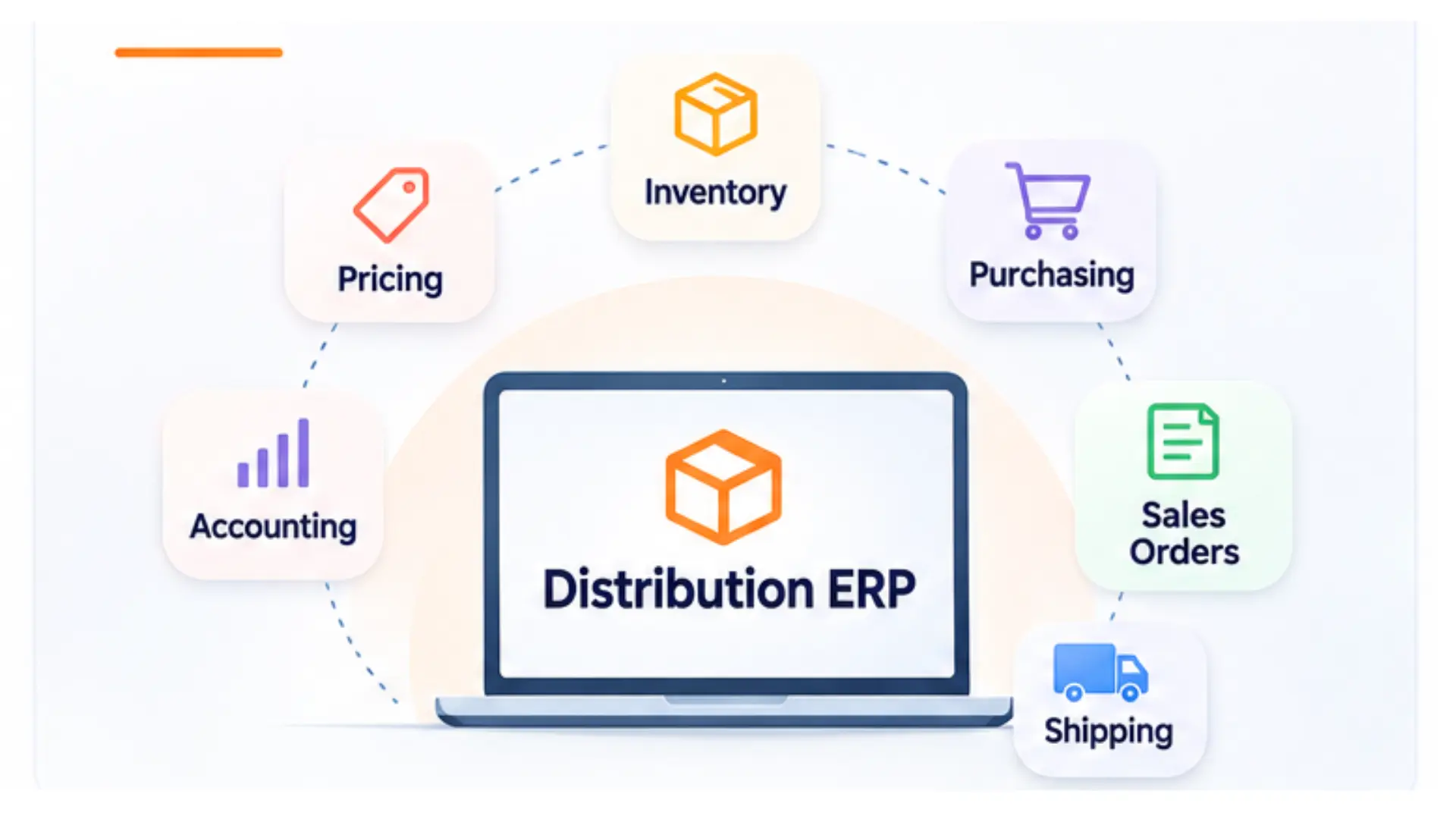
ERP (enterprise resource planning) in wholesale distribution is software that connects buying, stocking, selling, shipping, and accounting for a business that resells goods rather than making them. Its job is to keep one accurate record of three things: what you have, what you owe, and what you've promised customers.
A distribution-focused ERP is shaped around a distributor's daily problems. Think thousands of SKUs, stock spread across branches, customer-specific price lists, supplier lead times, and orders that ship in pieces. That focus is what separates a system built for distribution from a general business suite.
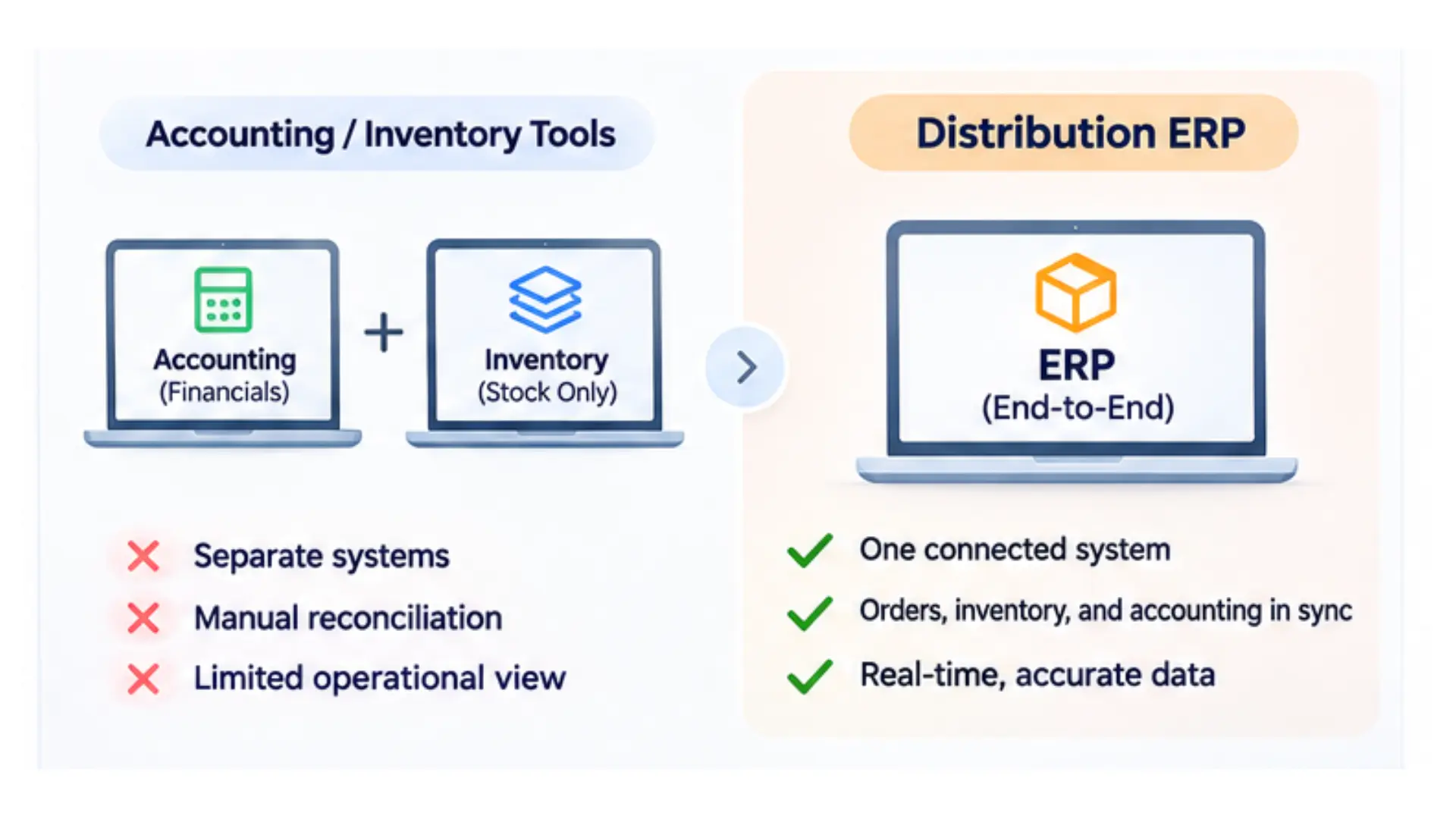
ERP handles the whole transaction in one place, while accounting and inventory tools each see only part of it. Accounting software records the financial result after a sale happens. Inventory software tracks quantities on hand. Neither knows much about the other, so someone has to reconcile them by hand.
With ERP, shipping a sales order lowers stock, posts cost of goods, creates the invoice, and updates the customer's balance in a single step. The difference isn't more features. It's that the features share data. If your team spends hours bridging that gap every week, the business has likely outgrown its accounting software.
Distributors with operational complexity benefit most, whatever their revenue. Common signs include:
• Stock held in more than one warehouse or branch
• Contract, tiered, or customer-specific pricing
• Frequent backorders, partial shipments, or special orders
• A counter or will-call desk alongside phone, email, and online orders
• Large catalogs with many units of measure, such as steel sold by the piece, foot, or pound
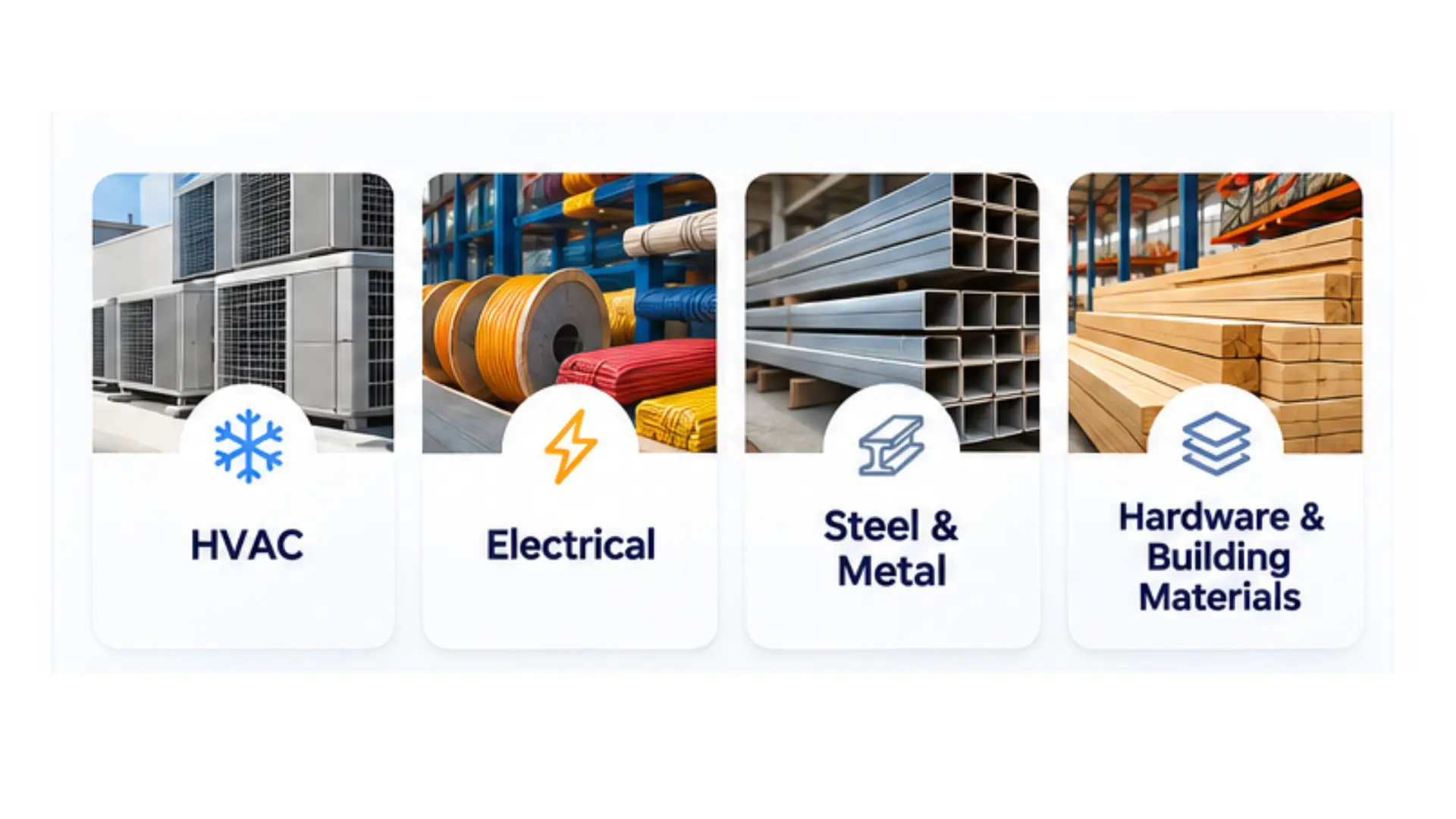
Industrial and trade distributors fit this profile closely. That includes HVAC, electrical, steel and metal, and hardware and building materials suppliers, along with plumbing and MRO supply houses. Food, chemical, and medical distributors that need lot tracking or expiry control are strong candidates too.
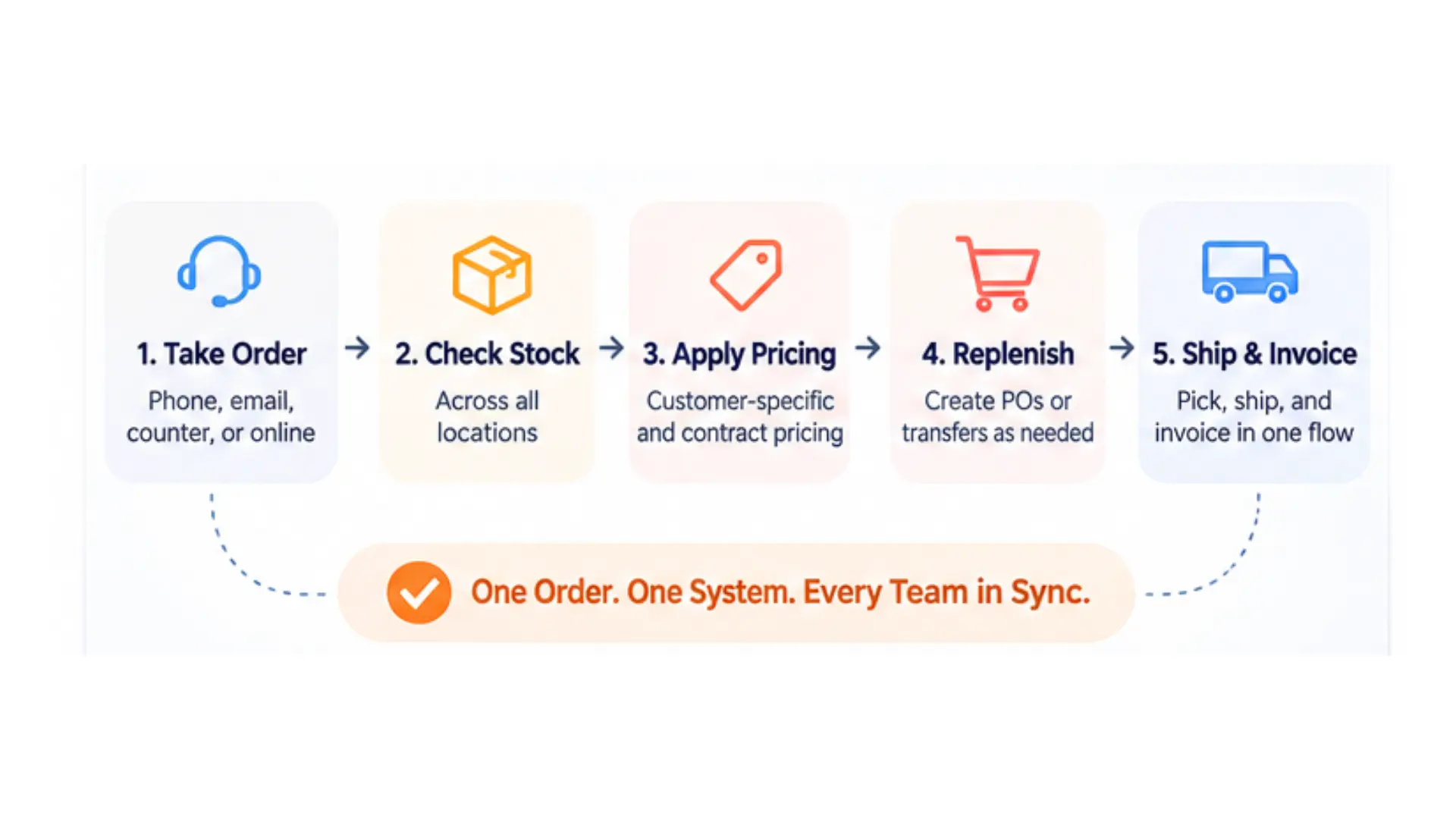
Distribution ERP works by passing a single order record through every team that touches it, so nobody types the same data twice. The easiest way to see it is to follow one order from an early-morning phone call to the final invoice.
The scenario: an electrical contractor calls at 8:15 a.m. for 40 boxes of 12-gauge wire, 200 breakers, and 10 panels. Everything has to reach a job site tomorrow. The contractor has negotiated pricing on breakers and buys on 30-day terms.
The inside sales rep enters the order once, whether it arrived by phone, email, the counter, or an online portal. The system pulls in the customer's ship-to addresses, payment terms, and credit status automatically. If the account is over its credit limit, the order is flagged before anything is picked.
That flexibility matters more every year. B2B buyers now use an average of ten channels during a purchase, up from five in 2016, according to McKinsey's 2024 B2B Pulse Survey.
As each line is added, the rep sees available quantities by location. That means stock on hand minus stock already committed to other orders. The main branch has the wire and panels, but only 120 breakers. A second branch has 150 more.
Pricing applies without the rep looking anything up. The contract price on breakers overrides list price, a quantity break kicks in on the wire, and standard pricing covers the panels. The rep can also see the margin on each line before confirming.
The rep ships 120 breakers today and transfers 80 from the second branch for a follow-up delivery. Committing that stock drops the main branch below its reorder point. The system then suggests a purchase order to the breaker supplier, using that supplier's lead time and minimum order quantity.
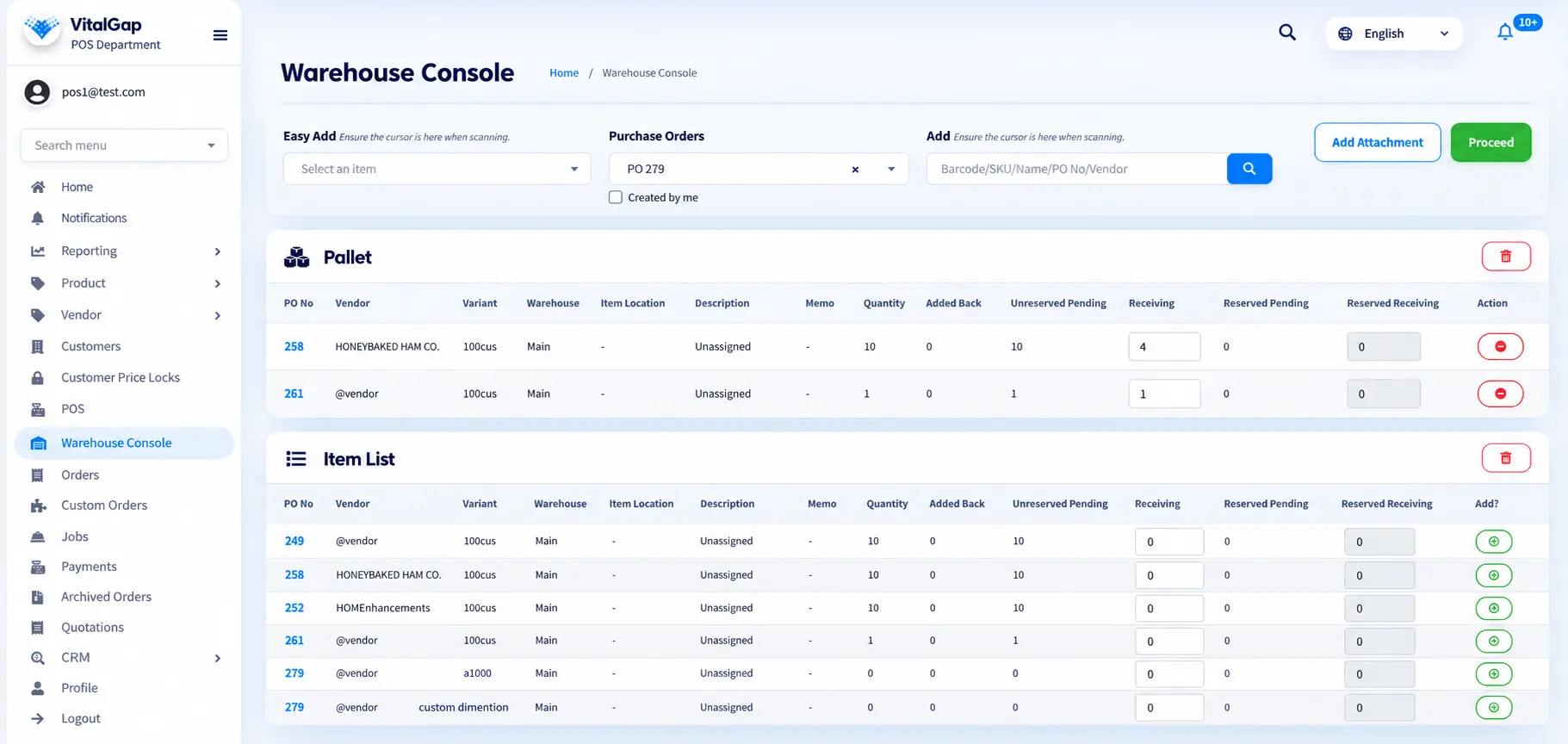
The warehouse receives a pick ticket sorted by bin location. The picker confirms quantities, and the shipment is packed and loaded. The remaining 80 breakers stay on the order as a tracked backorder tied to the inbound transfer. When the contractor calls about the rest, customer service can give a delivery date in seconds. Some building materials suppliers go a step further with delivery tagging, so drivers and customers can confirm exactly what reached the site.
Once the first shipment is confirmed, the system invoices only what shipped. It posts revenue and cost of goods and updates the customer's receivable balance. The backordered breakers are invoiced when they ship. Inventory values, open-order reports, and sales dashboards all reflect the change without anyone running an export.
One entry at 8:15 a.m. fed sales, inventory, purchasing, the warehouse, and accounting. When the supplier later confirms a delay, every team sees the new date at once.
The essential features are multi-warehouse inventory, purchasing, sales order management, customer-specific pricing, backorder handling, master data management, integrated accounting, reporting, and workflow automation. Each one keeps stock, price, or promise dates accurate across every order. For a closer look at how they fit together, see this breakdown of ERP features for distribution businesses.
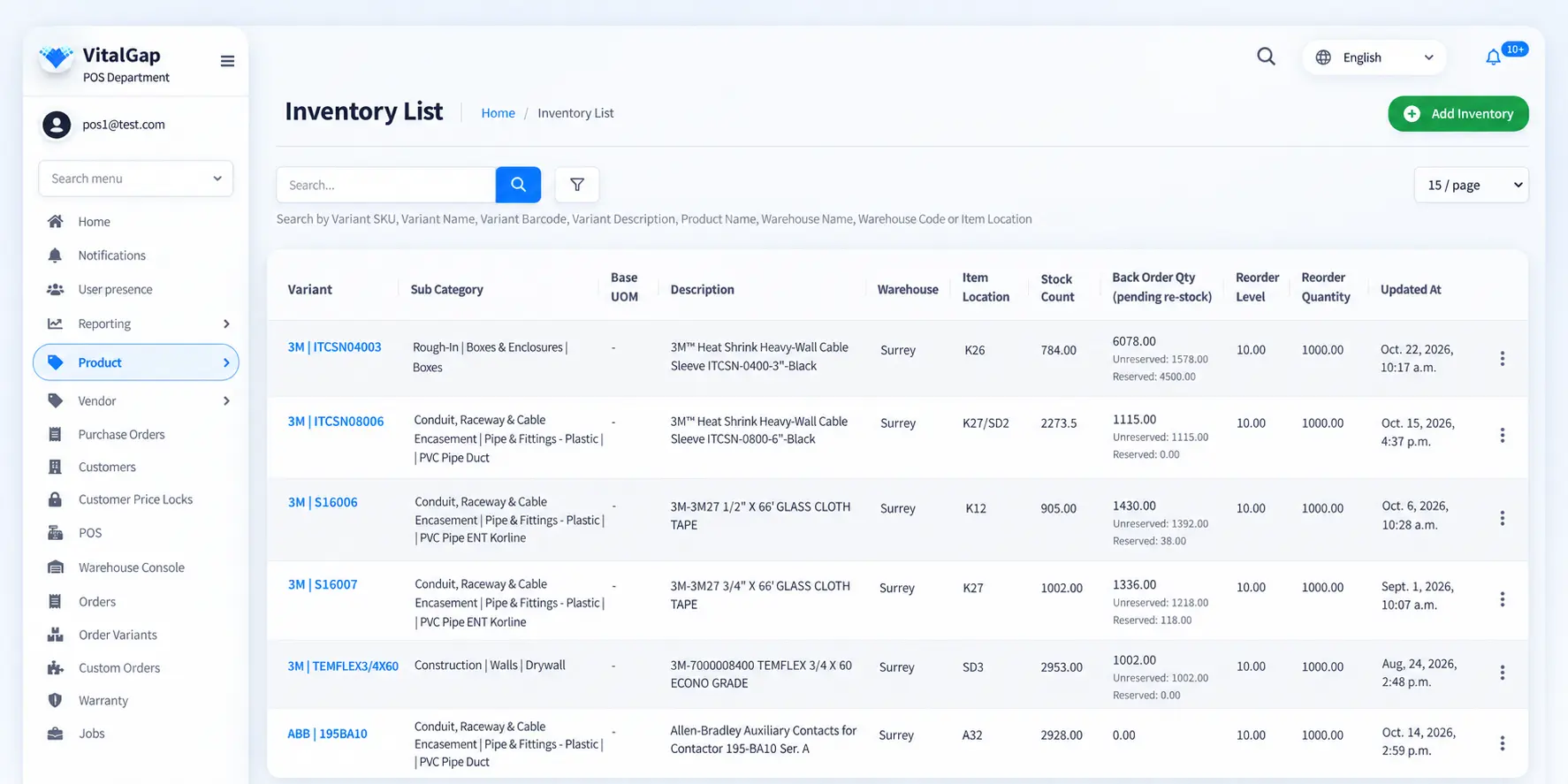
Inventory is usually a distributor's largest asset. U.S. merchant wholesalers held about 1.21 months of sales in inventory in March 2026, based on the same Census Bureau data. A good system shows real-time quantities by location, with on-hand, committed, available, and on-order stock listed separately. Look for branch transfers, bin locations, cycle counting, multiple units of measure, and lot or serial tracking if your products need it.
Purchase orders should build themselves from reorder points, min/max levels, or open demand. The system should store each supplier's costs, lead times, and minimums. It should also match receipts and supplier invoices against the original PO. Seasonal businesses feel this most, since HVAC procurement during peak season depends on knowing true lead times before the first heat wave.
Quotes should convert to orders in one click. Order entry should work across phone, counter, and online channels, with credit checks built in and pick tickets flowing straight to the warehouse. Distributors with a walk-in counter should look for point-of-sale capability tied to the same inventory.
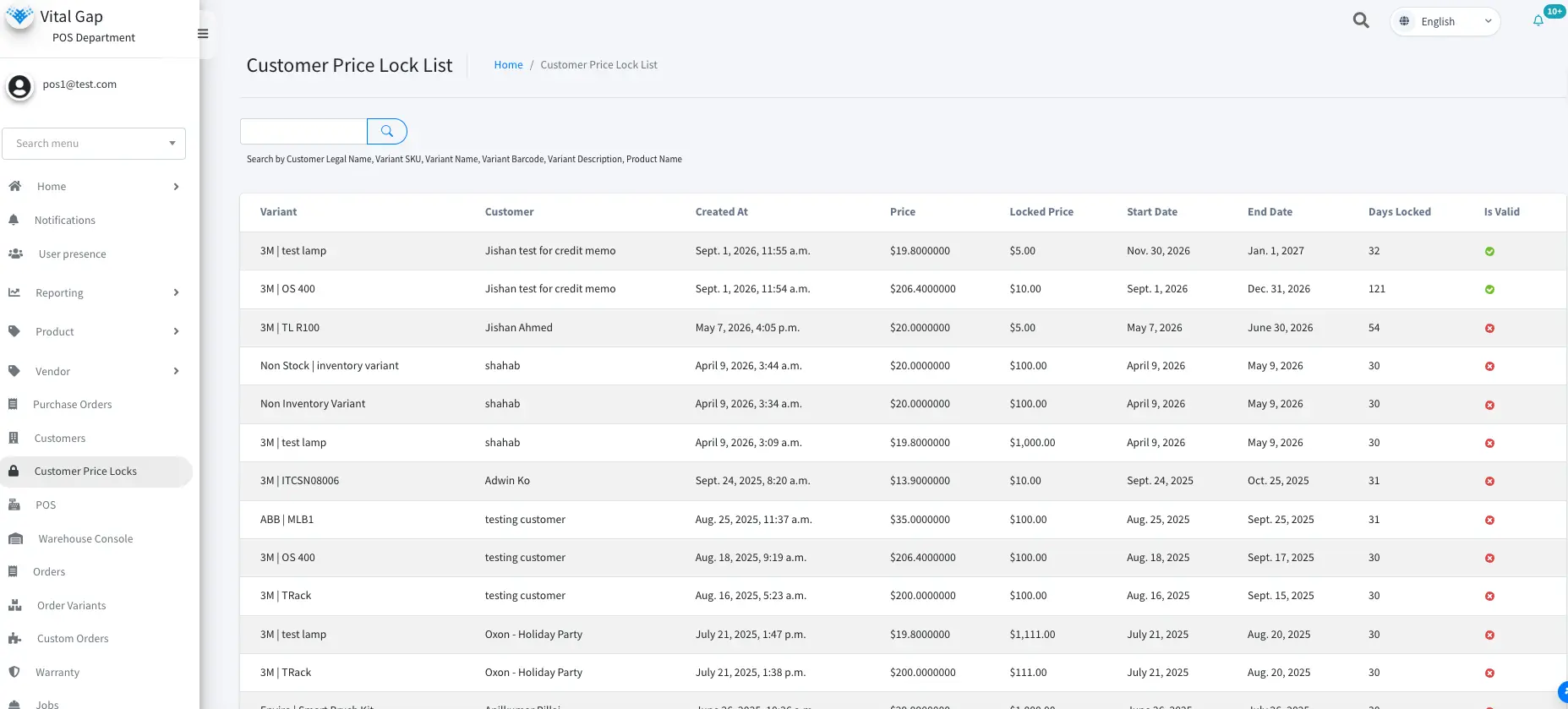
The system should support price matrices by customer, customer group, product line, and quantity break. Contract pricing needs start and end dates. Margin visibility at order entry helps reps avoid selling below cost.
You should be able to ship what's available, hold the rest as a tracked backorder, and invoice per shipment. Strong systems let you assign incoming stock to backorders by priority and notify customers when it ships.
Clean master records are the foundation. That covers item descriptions, alternate and supplier part numbers, substitutes, customer ship-to addresses, terms, and contacts. Some systems include a built-in CRM, so sales notes and follow-ups live next to order history.
The general ledger, accounts receivable, accounts payable, and inventory valuation should update from operational transactions. An accounting-friendly architecture keeps finance and operations on the same numbers. If you keep a separate accounting package, confirm how and how often data syncs.
Standard reports should cover open orders, stock status, sales by customer and product, margin, and aging. Managers should be able to filter and export them without IT help.
Automation should handle reorder suggestions, approval rules, and email notifications. Integrations should connect e-commerce, shipping carriers, EDI, payment processing, and accounting. An API-first ERP makes those connections easier to build and maintain.
The main benefits are more accurate inventory, faster order processing, purchasing tied to real demand, consistent pricing, reliable fulfillment, fewer errors, better decisions, and easier growth across locations. All eight come from one mechanism: every team acts on the same live data. Pair each benefit with a KPI, and you can prove the result instead of assuming it.
Receipts, transfers, sales, and adjustments post to the same quantity record the moment they happen. As a result, the number on screen matches the shelf more often.
KPI: inventory record accuracy = SKUs counted with no variance ÷ total SKUs counted × 100.
Customer data, pricing, and stock checks fill in automatically. Orders then move to the warehouse and accounting without anyone typing them again.
KPI: average order entry time, and orders processed per rep per day.
Buyers see open orders, backorders, and reorder points in one view. Purchase orders follow real demand instead of gut feel.
KPI: inventory turnover = cost of goods sold ÷ average inventory value.
Contract prices, quantity breaks, and customer groups are stored as rules. They no longer live in individual reps' heads.
KPI: pricing-related credit memos as a share of invoices, and gross margin by customer.
Available-to-promise quantities, backorder tracking, and shipment status let staff give customers accurate dates.
KPI: fill rate = lines shipped complete on the first shipment ÷ total lines ordered × 100, plus on-time delivery rate.
When nobody copies data between spreadsheets and accounting, there are fewer transposed quantities, missed orders, and invoices that don't match shipments. Spreadsheets are a known weak spot. Researcher Raymond Panko's review of spreadsheet audits found errors in at least 86% of the spreadsheets examined in the most recent studies (Panko, 2000).
KPI: order accuracy = orders shipped without error ÷ total orders × 100.
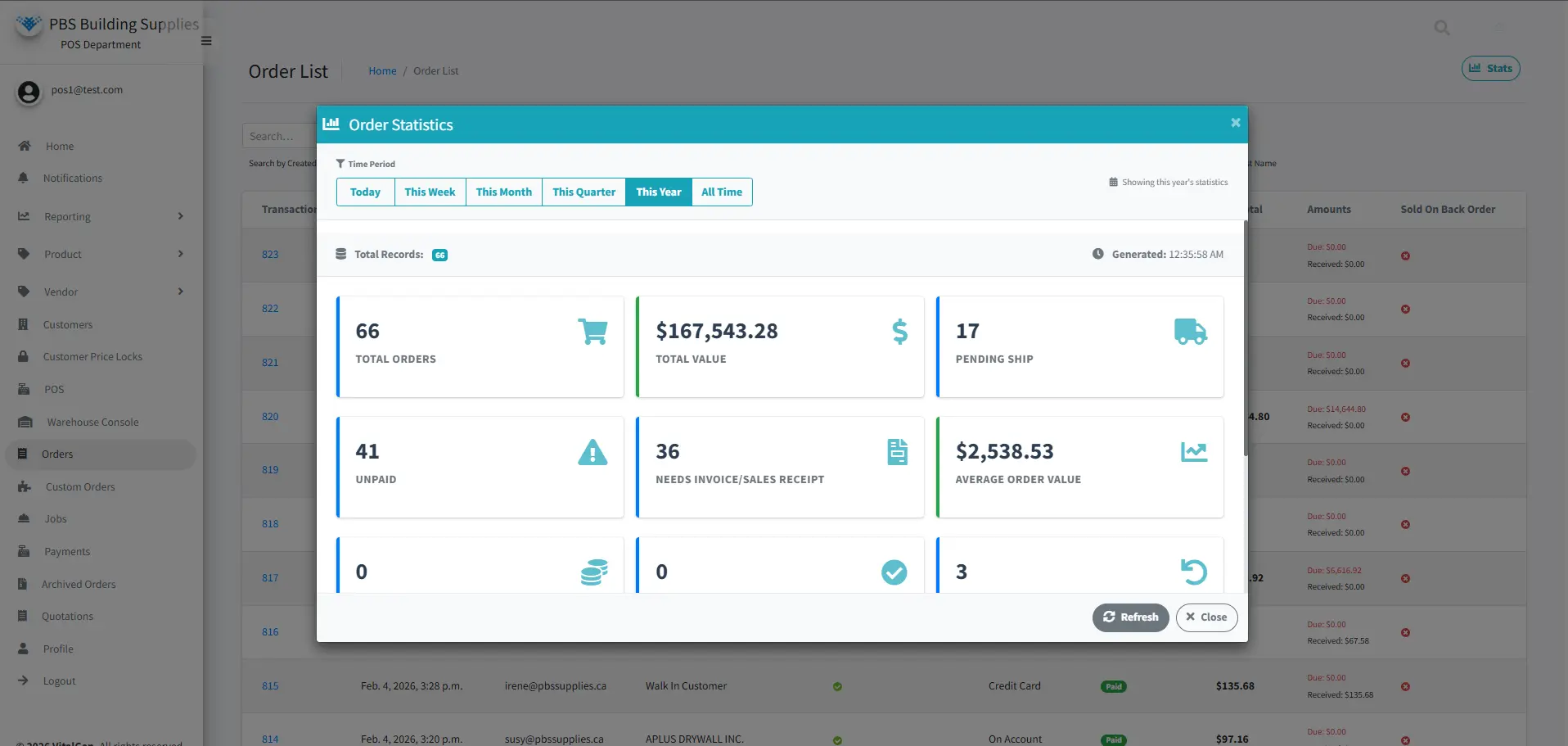
Sales, margin, stock, and supplier performance live in one database. Reports no longer require stitching exports together.
KPI: time to complete month-end close and produce standard management reports.
Adding a branch means adding a location in the system, not a new set of spreadsheets. Stock can be shared and transferred between sites.
KPI: stock transfer volume versus emergency purchases, and days of inventory on hand by location.
The difference is what each system optimizes for. Distribution ERP is built to move finished goods quickly and profitably. Manufacturing ERP is built to turn raw materials into finished goods. Both share accounting and inventory foundations, but they're tuned for very different work.
A distributor's process starts with a customer order and ends with a shipment. A manufacturer's process often starts with a forecast or order and runs through production before anything ships. Distribution ERP puts order speed and pricing up front. Manufacturing ERP puts production scheduling at the center.
Distributors need fast lookups across large catalogs, availability across locations, and replenishment tied to sales velocity. Warehouse work is about accurate picking and fast turnaround, not staging components for a production line.
These are manufacturing's heavy machinery. A BOM lists the components in a finished product. MRP calculates what to buy and when. Shop-floor control tracks jobs through work centers. A pure distributor that buys a system centered on these pays for complexity it never uses.
Some distributors do light value-added work, such as cutting steel or wire to length, assembling kits, building simple assemblies, or relabeling. These jobs usually need kitting or simple assembly features, not full MRP.
Start by measuring where your revenue and effort actually sit. If most orders ship stock items with light processing, a distribution ERP with kitting or assembly is usually the better fit. If production scheduling drives your delivery dates, a manufacturing ERP with strong distribution features is the safer choice. In demos, walk through one real order of each type.
The three categories overlap, and vendors use the labels loosely. The real difference is scope: how much of the business runs on shared data. Treat the comparison below as typical rather than universal, since individual products vary. Confirm each capability in a demo.
It tracks what you have and where: quantities, receipts, adjustments, counts, and low-stock alerts. It suits businesses with simple pricing and one location, or it can sit on top of an e-commerce store.
It covers the distributor's operating cycle: order entry, pricing, stock allocation, purchasing, picking, and shipping. Some products in this category include accounting. Others rely on an integration.
ERP extends shared data to finance, and often to CRM, HR, and document management. Operational events post to the ledger directly, so inventory value and margin reports match the books. In practice, it becomes a unified operating system for the whole business.
An integrated platform usually makes sense once you see any of these warning signs:
• Staff reconcile the same numbers in two systems every month
• Integration breakdowns stop orders from flowing
• Pricing rules live in spreadsheets
• Reports require manual exports
Separate tools can still work for small, single-location distributors with simple pricing. Platforms that are composable by design offer a middle path, letting you add capabilities as you grow instead of replacing everything at once.
Choose the system that handles your hardest real orders cleanly, not the one with the longest feature list. The seven steps that follow will narrow the field, and the checklist at the end turns vendor demos into real tests. For a broader buyer's perspective, read what to look for in new distribution management software.
Write down how an order moves today, who touches it, and where it stalls. Then list the five problems that cost you the most, such as late shipments, pricing errors, stockouts, or a slow month-end close. Rank them. They become your evaluation criteria.
Count your locations, SKUs, and units of measure. Note whether you need lot or serial tracking, bin locations, branch transfers, or a counter sales process.
Bring your actual price structures to every demo: contract prices, customer groups, quantity breaks, and promotional pricing. Confirm the system handles backorders, partial shipments, drop shipments, and special orders the way you do.
List every system that must exchange data with the ERP. That includes e-commerce, shipping carriers, EDI partners, payment processors, and accounting if it stays separate. Ask whether each integration is built in, a partner add-on, or custom work. Each answer affects both cost and the long-term return on your software integrations.
Ask to see the reports your managers use every week. Check user roles too. For example, find out whether reps can override prices and whether those overrides are logged. Finally, confirm which routine tasks can run automatically.
Total cost includes subscription or licenses, implementation, data migration, integrations, training, and ongoing support. Ask each vendor for a written estimate of every item, plus the staff time they expect from your team, and compare each vendor's pricing model side by side. Budget surprises are common. Panorama Consulting's 2024 ERP Report found that 33% of ERP projects exceeded their expected budget, and underestimated consulting fees were a factor for a third of those projects (iStart, reporting on Panorama Consulting).
Send vendors your scenarios in advance. Ask them to run each one live, using data that looks like yours.
Vendor demo checklist
• ☐ Enter an order for a contract-priced customer and confirm the correct price appears without manual lookup
• ☐ Ship part of an order, backorder the rest, and invoice only what shipped
• ☐ Show stock available across two warehouses and transfer between them
• ☐ Receive a supplier delay and show which customer orders are affected
• ☐ Generate reorder suggestions from current demand and lead times
• ☐ Place a credit hold on an over-limit account and release it
• ☐ Process a counter or walk-in sale against live inventory
• ☐ Run a margin report by customer and by product line
• ☐ Show how a price override is approved and logged
Implement ERP in phases, and give data and people as much attention as the software. That discipline pays off. Gartner predicts that by 2027, more than 70% of recently implemented ERP initiatives will fail to fully meet their original business goals (Gartner). Most of those shortfalls trace back to dirty data, untested edge cases, and staff who quietly keep using the old spreadsheet.
List every system, spreadsheet, and manual step involved in quoting, ordering, purchasing, receiving, shipping, and invoicing. Note which steps should be standardized and which are genuine exceptions your customers rely on.
Data migration is where hidden problems surface. Remove duplicate and inactive items, standardize descriptions and units of measure, and confirm supplier part numbers and customer price agreements. Plan early for how to migrate historical data to a distribution ERP, especially if you're coming from an accounting package. Moving QuickBooks history into an ERP has its own quirks.
Pay special attention to records that don't fit the new system's structure. Non-stock lines are a common example. These are items sold by description with no item code, and they may not transfer at all if the migration only maps coded stock items. Find them before go-live. Then decide whether to create item records for them or handle them as special orders.
Set up locations, pricing rules, credit limits, approval steps, reorder parameters, and user permissions. Keep the first configuration close to how you actually work, and refine it once the team is comfortable. A system built around how you work makes this step faster.
Connect accounting, e-commerce, shipping, and EDI in order of business impact. Test each integration with real transactions, including failures, so you know exactly what happens when a sync breaks.
Train by role, using your own data and scenarios rather than generic demos. Run end-to-end tests, such as order to invoice and PO to receipt to payment. Have the people who will do the work sign off on each one.
Go live with clear support in place for the first few weeks. Retire the old tools so data doesn't split again. Track the KPIs you chose earlier, including fill rate, order accuracy, inventory accuracy, and order entry time, and compare them with your pre-launch baseline.
Timelines vary widely with company size, data quality, number of locations, and integrations. Ask vendors for references from distributors of a similar size, and ask those references how long the project really took. Published case studies are a useful starting point.
AI is adding a layer of prediction and assistance on top of ERP, and it depends entirely on the clean, connected data that ERP provides. Adoption is moving fast. Nearly nine in ten respondents to McKinsey's State of AI survey report regular use of AI in at least one business function, yet only 44% say AI is scaling across their enterprise (McKinsey). For distributors, the practical first step is separating established ERP functions, such as rules-based reorder points and standard reports, from AI-assisted capabilities that learn from patterns in your data. This overview of AI in distribution and wholesale operations covers the landscape in more depth.
Traditional replenishment relies on fixed reorder points and averages. AI-assisted forecasting can weigh seasonality, customer buying cycles, and trends to suggest order quantities. That matters for distributors with seasonal lines such as HVAC equipment. Gartner predicts that 70% of large-scale organizations will adopt AI-based forecasting to predict future demand by 2030 (Gartner).
AI models can flag anomalies a person might miss. Examples include a slow item that suddenly sells fast, repeated negative adjustments in one bin, or a customer whose ordering has dropped off.
Common targets include reading supplier invoices and matching them to POs, turning emailed orders into draft sales orders, and drafting routine customer updates. Staff still review the output before it goes anywhere.
Natural-language queries make data accessible to people who don't build reports. A manager can simply ask for every customer with a backorder older than 10 days. This is the direction AI-driven ERP is heading.
Distributors should evaluate data quality, explainability, control, proven results, and real availability before adopting any AI feature.
• Data quality first: forecasts built on inaccurate stock records will be confidently wrong. AI needs a solid operational foundation to work.
• Explainability: the system should show why it recommended a specific order quantity.
• Control: staff should be able to accept, change, or reject suggestions, and every decision should be logged.
• Proof in your data: vendors should demonstrate results on your history, not a generic demo.
• Availability: confirm which AI features are generally available today and which are still on the roadmap.
ERP for wholesale distribution isn't about adding more software. It's about closing the gaps between the tools you already use. When orders, stock, pricing, purchasing, and accounting share one record, teams stop reconciling and start answering customers with confidence.
The right system handles your messiest real orders without workarounds: contract pricing, split shipments, branch transfers, and supplier delays. Measure your current KPIs, test vendors against your own scenarios, and invest in clean data before go-live.
VitalGap is ERP built for distributors and wholesalers, including HVAC, steel, hardware, and electrical distributors that have outgrown small-business tools. It brings inventory management, order processing, complex pricing, and customer accounts with a built-in CRM into one system. Backorders, partial orders, online orders, and credit orders all run through the same workflow. Learn about the technology behind VitalGap, explore the platform, or book a demo using your own order scenarios.
ERP in wholesale distribution is software that runs a distributor's inventory, purchasing, sales orders, pricing, fulfillment, and accounting on one shared database. Each order is entered once and flows to the warehouse, purchasing, and finance automatically, so every team sees the same stock levels, prices, and order status in real time.
Distribution management software focuses on the operating cycle: orders, pricing, stock, purchasing, and shipping. ERP covers those areas and adds built-in financial management, such as the general ledger, receivables, and payables, often with CRM and other functions. Some products combine both, so compare actual capabilities rather than category labels.
Not every distributor needs one on day one. ERP becomes valuable when you manage multiple locations, customer-specific pricing, frequent backorders, or a growing catalog, and when staff spend significant time reconciling separate systems. If spreadsheets and re-keying are causing errors or slowing orders, it's time to evaluate.
Look for multi-warehouse inventory, purchasing and supplier management, sales order entry across channels, customer-specific and contract pricing, backorder and partial-shipment handling, integrated accounting, operational reporting, and integrations with e-commerce, shipping, and EDI. Counter or point-of-sale capability matters if you serve walk-in trade customers.
Yes. Distribution ERP typically tracks stock by location, showing on-hand, committed, and available quantities for each warehouse or branch. It supports transfers between locations and lets sales staff fill orders from another site when the primary branch is short. Confirm how each vendor handles transfer costs and in-transit stock.
Yes. Most distribution ERP systems generate purchase suggestions from reorder points, min/max levels, open orders, and supplier lead times. Buyers review and approve suggested purchase orders rather than building them by hand. Some newer systems add AI-assisted forecasting that factors in seasonality and buying trends.
Yes. Many ERP systems are built for small and midsize distributors, often cloud-based with subscription pricing and simpler setup than enterprise suites. The key is choosing a system sized to your operations, with the distribution features you need and training that doesn't take months.
It depends on company size, data quality, number of locations, and integrations. A small single-location distributor may go live in weeks to a few months, while multi-branch businesses with complex integrations usually take longer. Clean data and clear decision-makers shorten timelines more than anything else.
Distribution ERP focuses on buying, stocking, pricing, and shipping finished goods across many SKUs and locations. Manufacturing ERP adds production tools such as bills of materials, material requirements planning, work orders, and shop-floor control. Distributors that do light assembly or kitting usually need those features, not full manufacturing ERP.
Whether you're looking to streamline operations, boost efficiency, or drive growth, VitalGap has the solutions you need.