A new ERP system can change how your whole business runs. Orders move faster. Stock counts finally make sense. Finance stops chasing numbers across five spreadsheets. But none of that happens the moment the software is switched on. It happens because of the work done before, during, and after go-live.
That work is easy to underestimate. Gartner research predicts that by 2027, more than 70% of recently implemented ERP initiatives will fail to fully meet their original business goals. In most cases, the software is not the problem. The goals, the data, the processes, or the people were not ready for it.
So what separates a smooth rollout from a painful one? A clear plan, followed one phase at a time. Below, we walk from the first business goals all the way to life after launch, with realistic timelines, costs, and the details wholesale distributors cannot afford to skip.
What Is ERP Implementation?
ERP implementation is the process of planning, configuring, and launching an enterprise resource planning system so it runs your real business processes. It covers everything from setting goals and choosing software to migrating data, training employees, and improving the system after go-live.
ERP Implementation Meaning and Definition
An ERP system connects core business functions such as inventory, purchasing, sales, and accounting in one shared database. Implementation is the project that makes that connection real for your company. It decides how your workflows will run, which data moves over, who can see what, and how people will work from day one.
If you are new to the category, our guide to ERP for distribution explains how these systems work in a wholesale setting.
ERP Implementation vs. ERP Software Installation
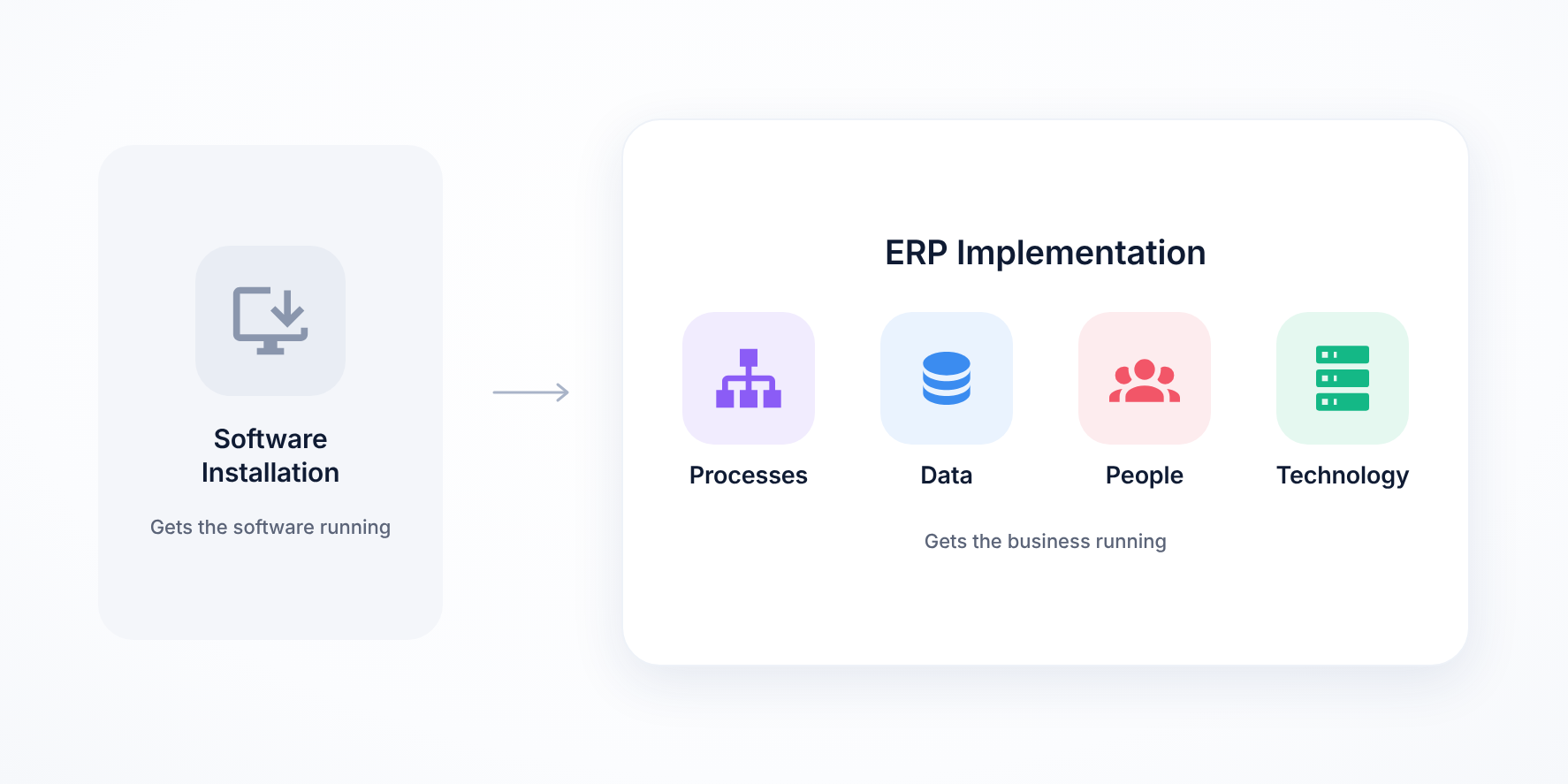
Installation puts the software in place. Implementation changes how the business operates. The difference matters, because a system can be installed perfectly and still fail to deliver value.
Aspect
ERP software installation
ERP implementation
Main goal
Get the software running
Get the business running on the software
Scope
Technical setup of the application
Processes, data, people, and technology
Who is involved
IT team or vendor
Leadership, department heads, end users, IT, and partners
The ERP Implementation Process: 8 Key Phases
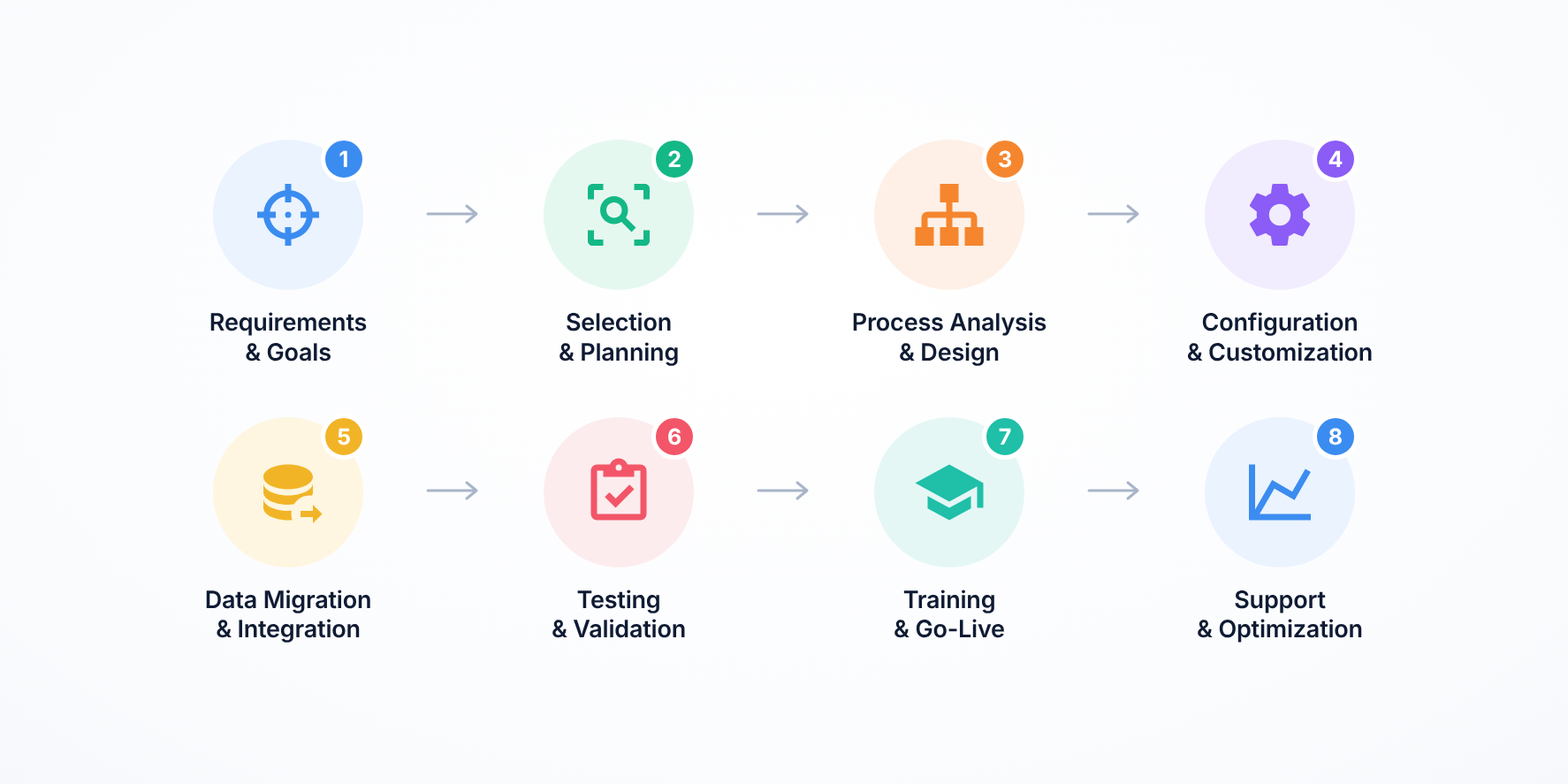
A successful ERP implementation moves through eight phases, from setting goals to improving the system after launch. Each phase produces something the next one depends on, so skipping ahead usually means coming back later at a higher cost.
Phase 1. Business Requirements and Goal Setting
Every implementation should start with the business, not the software. Before anyone looks at a demo, the leadership team needs to agree on what is broken today and what better looks like. Common triggers include stock levels nobody trusts, slow quoting, double data entry, or clear signs you have outgrown accounting software.
Key activities
Identify business problems and operational requirements. Interview each department about the tasks that waste time, cause errors, or depend on one person's memory.
Define implementation objectives. Turn those problems into goals, such as faster order processing or real-time inventory visibility across branches.
Establish measurable success criteria. Attach a number to each goal, for example cutting order entry time by half or reaching 98% inventory accuracy.
Determine the initial implementation scope. Decide which modules, locations, and teams are in the first release and what can wait for a later phase.
Expected deliverables
A requirements document grouped by department
A short list of business objectives with target KPIs
An approved first-release scope statement
Phase 2. ERP System Selection and Project Planning
With requirements in hand, you can judge systems against your needs instead of the vendor's script. Selection mistakes are expensive. According to Panorama Consulting's 2026 ERP Report, the most common reason projects went over budget was an unexpected need for additional technology, cited by 54.9% of over-budget organizations. A careful selection process catches those gaps early.
Key activities
Evaluate ERP systems against business requirements. Score each option on fit, ease of use, integrations, and deployment model. Our guide to cloud ERP software and our checklist for distribution management software can help frame the comparison.
Identify implementation resources and stakeholders. Decide who from each department will contribute and whether you need an implementation partner.
Establish the project team and responsibilities. Name an executive sponsor, a project manager, and subject matter experts for each area.
Create the implementation project plan. Set phases, milestones, owners, and a realistic budget.
Expected deliverables
A selected ERP system and signed agreement
A project charter with team roles
A baseline project plan and budget
Phase 3. Business Process Analysis and System Design
This phase answers one question: how should work flow once the new system is live? It is the right moment to fix habits that only exist because the old tools could not do better, such as rekeying orders or tracking stock inside spreadsheets. Our article on manual processes shows how much those workarounds quietly cost.
Key activities
Review existing business processes. Document how quotes, orders, purchasing, receiving, and invoicing work today.
Identify process gaps and inefficiencies. Look for duplicate entry, approval bottlenecks, and steps that rely on email or paper.
Map future-state workflows. Design how each process will run inside the ERP, step by step.
Define system configurations and integration requirements. List the settings, rules, and outside applications the design needs.
Expected deliverables
Current-state and future-state process maps
A gap analysis between requirements and standard features
A solution design document with integration requirements
Phase 4. ERP Configuration and Customization
Configuration sets up the system using its built-in options. Customization changes the software itself. Most businesses should rely on configuration as much as possible, because custom code adds cost, testing effort, and upgrade risk. A modern system with the right distribution ERP features should cover most needs out of the box.
Key activities
Configure core ERP modules. Set up inventory, purchasing, sales, pricing, and accounting according to the design.
Set up user roles and permissions. Give each role access to what it needs and nothing more.
Configure business workflows. Build approval rules, document templates, and automated notifications.
Identify where customization is genuinely necessary. Approve custom work only when a requirement is critical and no standard option exists.
Expected deliverables
A configured system environment ready for testing
A role and permission matrix
A log of approved customizations with business justification
Phase 5. Data Migration and System Integration
Your ERP is only as reliable as the data you load into it. Bad data costs real money. Gartner estimates that poor data quality costs organizations at least $12.9 million a year on average. Migration is your chance to clean house before that data spreads into a new system.
Key activities
Audit and clean existing business data. Remove duplicates, fix formatting, and archive records you no longer need.
Map data fields between systems. Match every field in the old system to its place in the new one.
Migrate customer, supplier, product, and financial records. Run trial loads first, then a final load at cutover. If you need to migrate historical data, plan how much history comes over and in what format.
Connect required third-party applications. Link accounting, eCommerce, shipping, or payment tools. An API-first ERP makes these connections far easier to build and maintain.
Validate migrated data. Compare record counts, balances, and samples against the source.
Expected deliverables
A data cleansing report and field mapping document
Migrated and reconciled master data and open transactions
Working integrations with documented data flows
Phase 6. ERP Testing and Validation
Testing proves the system works the way your business works. It should go well beyond clicking through screens. The goal is to catch problems while they are still cheap to fix.
Key activities
Conduct functional testing. Confirm each feature behaves as configured.
Test integrations and data accuracy. Check that data moves correctly between the ERP and connected apps.
Perform end-to-end business process testing. Run full scenarios, such as quote to cash and purchase to pay, across departments.
Complete user acceptance testing (UAT). Let the people who will use the system every day approve it.
Resolve issues before deployment. Fix, retest, and sign off on every critical defect.
Expected deliverables
Test scripts and recorded results
A defect log with resolution status
Formal UAT sign-off from each department
Phase 7. Employee Training and Go-Live
Go-live is when the project becomes real for everyone. Employees need to feel confident before the switch, not after it. Good training is short, role-based, and built around the tasks people actually do.
Key activities
Prepare role-based employee training. Train warehouse staff, buyers, sales reps, and accountants on their own workflows.
Develop user documentation. Create quick guides and short videos people can return to later.
Finalize the go-live checklist. Confirm data, integrations, user access, and support coverage.
Execute the deployment and cutover plan. Freeze old-system transactions, load final data, and switch over on a planned date.
Monitor operations during the initial launch. Keep the project team on hand to resolve issues quickly.
Expected deliverables
Completed training for all users
User guides and process documentation
A successful cutover and a live system
Phase 8. Post-Implementation Support and Optimization
Go-live is a milestone, not the finish line. The first few months show where the system shines and where people still work around it. This is when the real return starts to take shape.
Key activities
Monitor system performance. Track speed, errors, and usage across teams.
Resolve post-launch issues. Handle support tickets quickly so small problems do not become habits.
Collect employee feedback. Ask users what slows them down and what they still do outside the system.
Evaluate implementation KPIs. Compare results against the success criteria from Phase 1 and measure your integration ROI.
Identify opportunities for improvement. Plan the next round of features, automations, or rollouts.
Expected deliverables
A post-launch support log
A KPI review against original objectives
An optimization roadmap for the next phase
ERP Implementation Timeline: How Long Does It Take?
Most ERP implementations take between three and twelve months, depending on scope, data, and the number of locations involved. Panorama's 2026 ERP Report found a median project timeline of nine months across the organizations it surveyed, most of them mid-sized companies. A focused rollout for a smaller distributor can move faster, while complex multi-entity projects often take longer.
What Determines ERP Implementation Time?
Scope, data quality, integrations, customization, and internal availability decide how long an implementation takes. More modules and locations mean more design and testing. Messy data adds weeks of cleanup. Every custom feature and outside integration needs to be built and tested. And when key staff can only give the project a few hours a week, everything slows down.
Typical Implementation Timeline by Business Complexity
The ranges below are illustrative planning estimates, not guarantees.
Business profile
Typical scope
Indicative duration
Small, single-location business
Core modules, few integrations, clean data
3 to 5 months
Mid-sized, multi-location business
Several modules, accounting and eCommerce integrations
5 to 9 months
Large or complex organization
Multiple entities, heavy integrations, some customization
9 to 18 months
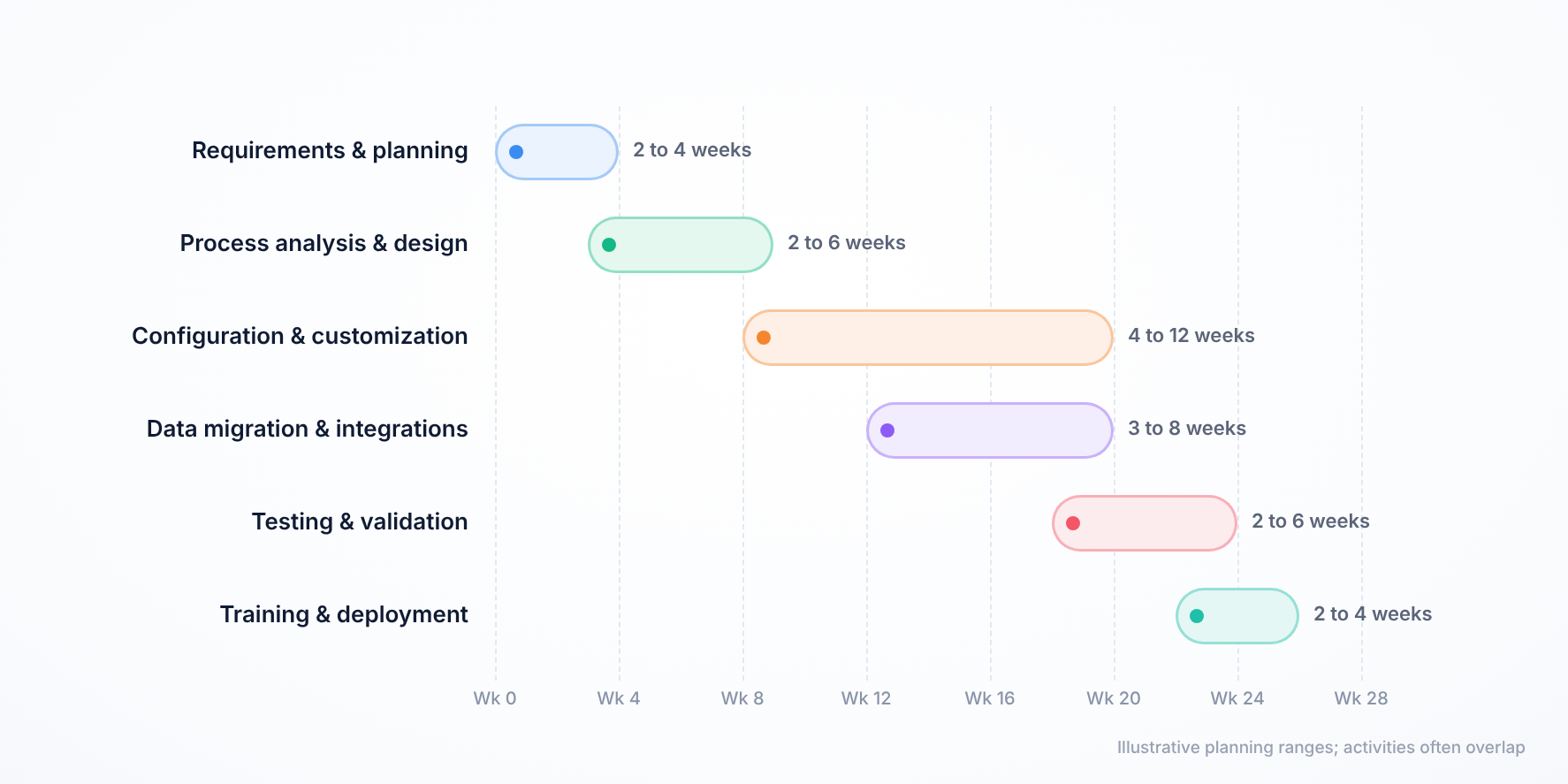
Here is how that time typically breaks down by activity:
Implementation activity
Indicative duration
Requirements and planning
2 to 4 weeks
Process analysis and design
2 to 6 weeks
Configuration and customization
4 to 12 weeks
Data migration and integrations
3 to 8 weeks
Testing and validation
2 to 6 weeks
Training and deployment
2 to 4 weeks
These activities often overlap. Data cleanup, for example, can start during configuration, and training materials can be built while testing is under way. Treat these figures as planning ranges, not a universal schedule. Your actual timeline will depend on scope, data quality, integrations, customization, and the internal resources you can commit.
What Can Delay an ERP Implementation?
People and decisions cause more delays than technology. Panorama's 2026 ERP Report found that almost a quarter of organizations exceeded their planned timeline, and the most common cause was organizational issues such as governance, resistance to change, and process redesign. Other frequent causes include:
Scope that keeps growing after design is approved
Data that turns out to be dirtier than expected
Slow decisions or unavailable subject matter experts
Integration problems discovered late in testing
Customizations that need repeated rework
How to Keep an Implementation Project on Schedule
You keep an ERP project on schedule by locking scope early, protecting your team's time, and making decisions fast. A few habits help:
Approve a first-release scope and route every new request through a change process.
Free up key staff with backfill or reduced workloads during critical phases.
Start data cleanup in the first weeks, not right before migration.
Hold short weekly status meetings with clear owners for every open issue.
Phase the rollout by module or location instead of launching everything at once.
How to Create an ERP Implementation Project Plan
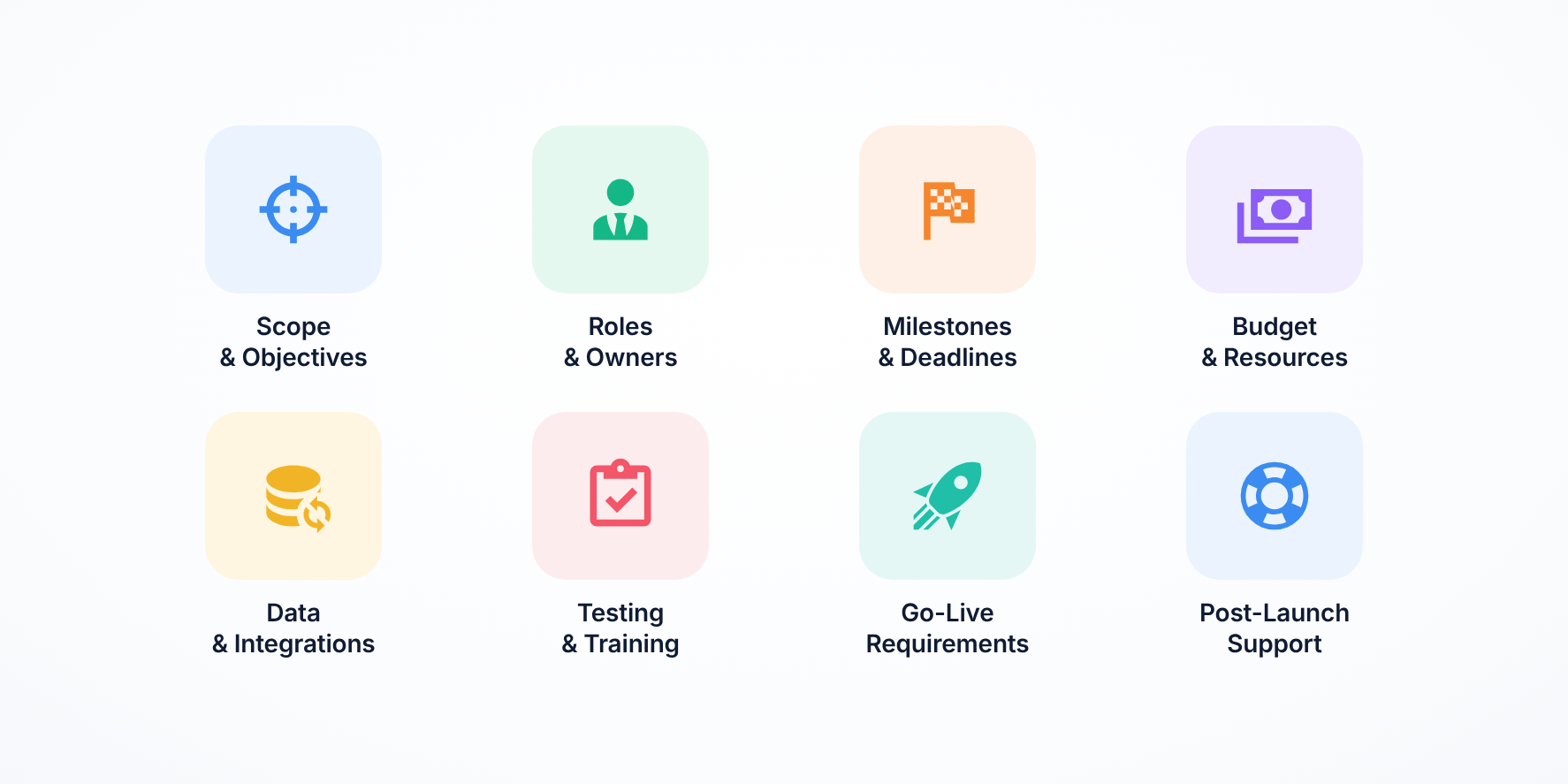
A strong ERP implementation plan answers four things: what you are delivering, who owns each piece, when it is due, and how you will know it worked. Build it in eight steps.
Define project scope and objectives. Restate the business goals from Phase 1 and list exactly which modules, locations, and processes the first release covers.
Assign implementation roles and responsibilities. Name an executive sponsor, a project manager, department leads, and any partner contacts. Every task needs one clear owner.
Set milestones and deadlines. Break the project into phases with dated milestones, such as design sign-off, data load, UAT approval, and go-live.
Allocate budget and resources. Assign money and people to each phase, and keep a contingency reserve for surprises.
Plan data migration and integration. Decide which data moves, who cleans it, when trial loads happen, and which systems must connect at launch.
Establish testing and training schedules. Book time for functional testing, end-to-end testing, UAT, and role-based training before the cutover date.
Define go-live requirements. Write down the conditions that must be true before launch, such as zero critical defects and signed UAT.
Set post-implementation support responsibilities. Decide who handles support tickets, how long the project team stays involved, and when KPIs will be reviewed.
ERP Implementation Project Plan Template
Use this template as a starting point and adjust it to your own phases and team.
Phase
Key activities
Owner
Deliverables
Status
1. Requirements and goals
Interviews, objectives, success criteria, scope
Executive sponsor
Requirements document, KPI targets
Not started
2. Selection and planning
Vendor evaluation, team setup, project plan
Project manager
Signed agreement, project charter
Not started
3. Process analysis and design
Current and future-state mapping, gap analysis
Department leads
Process maps, solution design
Not started
4. Configuration
Module setup, roles, workflows
ERP partner or admin
Configured test environment
Not started
5. Data migration and integration
Data cleanup, mapping, trial loads, integrations
Data owner and IT
Validated data, working integrations
Not started
6. Testing and validation
Functional, integration, end-to-end, UAT
QA lead and key users
Test results, UAT sign-off
Not started
7. Training and go-live
Training sessions, documentation, cutover
Project manager
Trained users, live system
Not started
8. Support and optimization
Issue resolution, feedback, KPI review
Operations lead
Support log, improvement roadmap
Not started
ERP Implementation Best Practices for a Successful Rollout
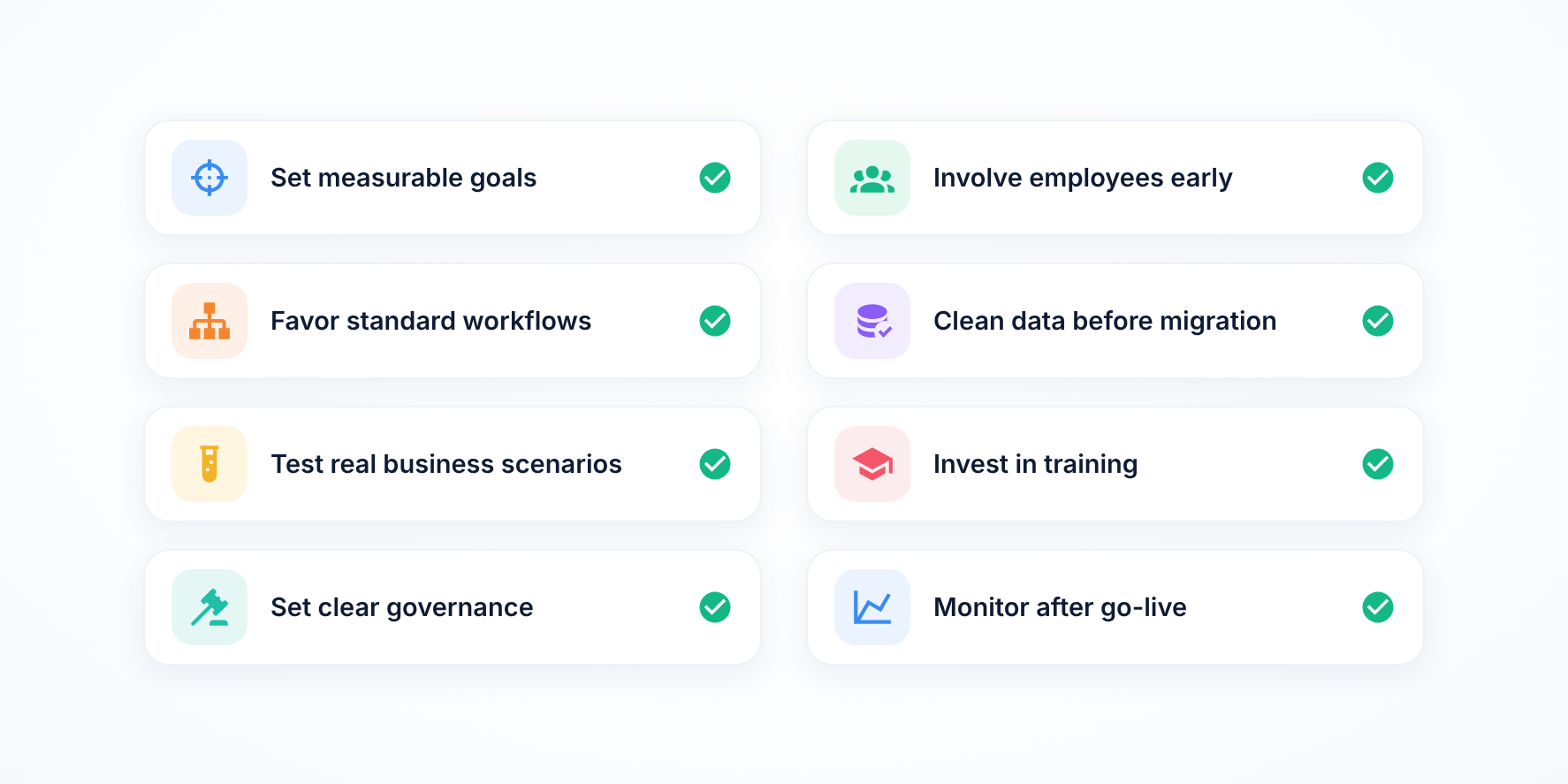
The strongest ERP implementation strategy treats the project as a business change supported by technology, not a technology project that happens to affect the business. These eight practices put that idea to work.
Set Measurable Business Objectives Before Implementation
Vague goals like "improve efficiency" cannot guide decisions or prove success. Tie every objective to a number and a deadline, such as reducing order processing time by 40% within six months of go-live. Those targets become your filter for scope requests later.
Involve Employees and Department Heads Early
The people who run your warehouse, purchasing desk, and sales counter know where the real problems are. Bring them into requirements and design, not just training. When people help shape the new system, they are far more likely to use it.
Prioritize Standard Workflows Over Unnecessary Customization
Standard workflows are tested, supported, and easier to upgrade. Before approving any custom feature, ask whether the process itself could change instead. Save customization for the few things that truly set your business apart.
Clean and Validate Data Before Migration
Moving bad data into a new ERP just gives old problems a faster home. Assign data owners, set clear cleanup rules, and run trial migrations early. Validate every load against the source before you sign off.
Test Real Business Scenarios Before Go-Live
Test the way your business actually runs, with real products, real customers, and real exceptions. Include messy cases such as partial shipments, returns, and price overrides. If a scenario happens weekly in your business, it belongs in your test plan.
Invest in Employee Training and Change Management
Adoption decides whether the system pays off. Prosci's research shows that initiatives with excellent change management are seven times more likely to meet their objectives than those with poor change management. Yet Panorama's 2026 ERP Report found that fewer than one in four organizations put an intense focus on organizational change management during implementation. Explain the why behind the change, train by role, and keep support visible after launch.
Establish Clear Project Governance
Governance means knowing who decides what, and how fast. Set up a steering group with an executive sponsor, define escalation paths, and agree on a change control process. Clear governance keeps small disagreements from turning into long delays.
Monitor Performance After Implementation
The work does not stop at go-live. Track the KPIs you set in Phase 1, watch where users rely on workarounds, and review results at 30, 90, and 180 days. Use what you learn to plan the next round of improvements.
Common ERP Implementation Challenges and How to Avoid Them
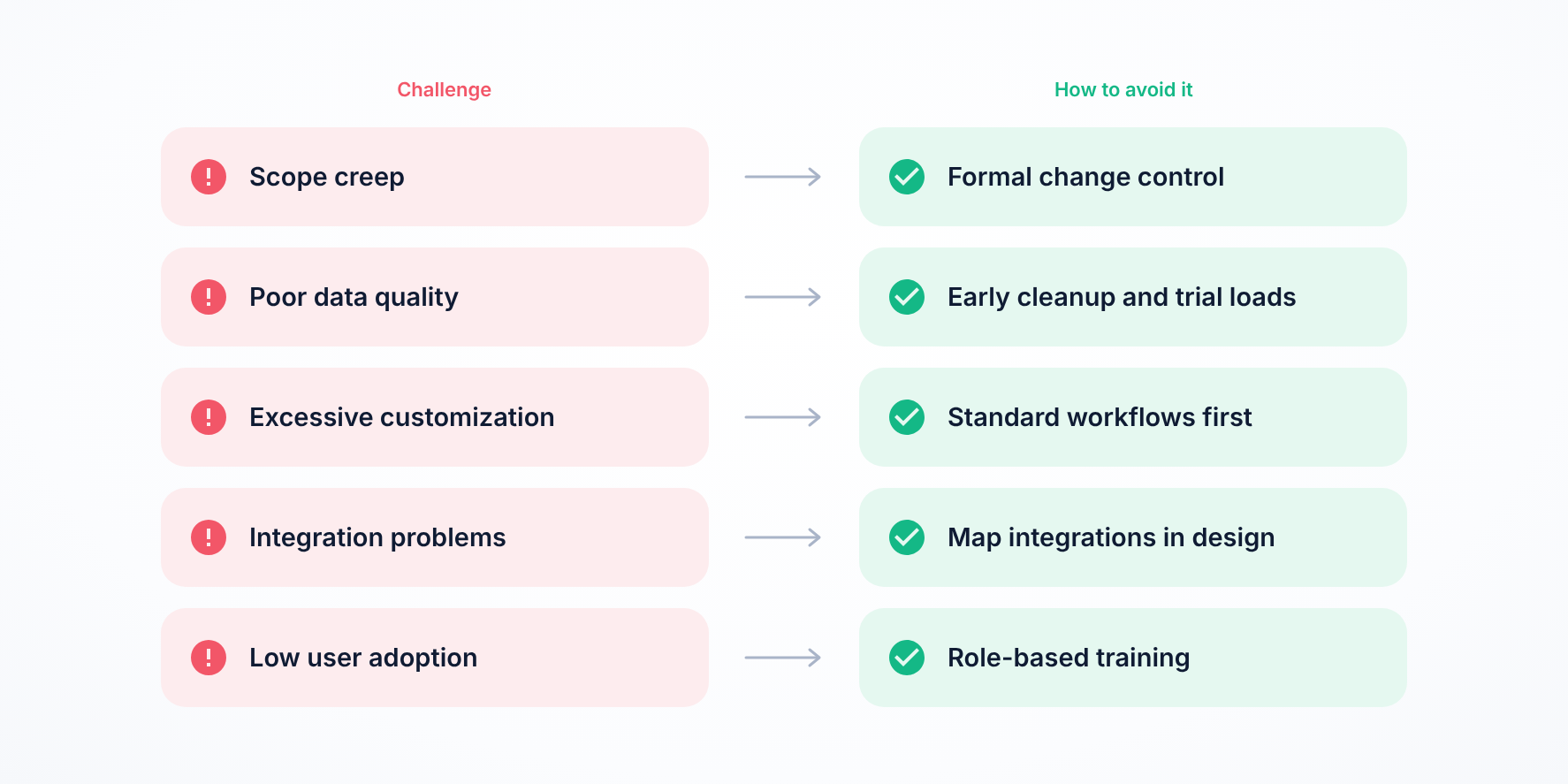
Most ERP problems trace back to decisions made long before go-live. Panorama's 2026 ERP Report found that 30% of projects ran over budget, with scope expansion behind 51% of those overruns. The good news is that each common challenge has a known fix.
Challenge
Why it happens
How to avoid it
Unclear requirements and scope creep
Goals are vague, so new requests keep getting added
Document requirements early, approve a first-release scope, and use a formal change process
Poor data quality and migration issues
Duplicates, outdated records, and inconsistent formats in old systems
Start cleanup early, assign data owners, and run trial migrations
Excessive system customization
Teams try to recreate old processes inside the new system
Default to standard workflows and approve custom work only for critical needs
Integration problems with existing applications
Connections are scoped late or tested too little
List every integration in the design phase and test data flows end to end
Employee resistance and low adoption
People feel the change is done to them, not with them
Involve users early, train by role, and explain the business reasons
Unrealistic budgets and timelines
Hidden costs and internal effort are underestimated
Budget for services, data, training, and contingency, and plan for overlap
Insufficient testing and post-launch support
Testing is cut short to protect the go-live date
Protect testing time, require UAT sign-off, and staff a support team after launch
ERP Implementation Costs: What Should Businesses Budget For?
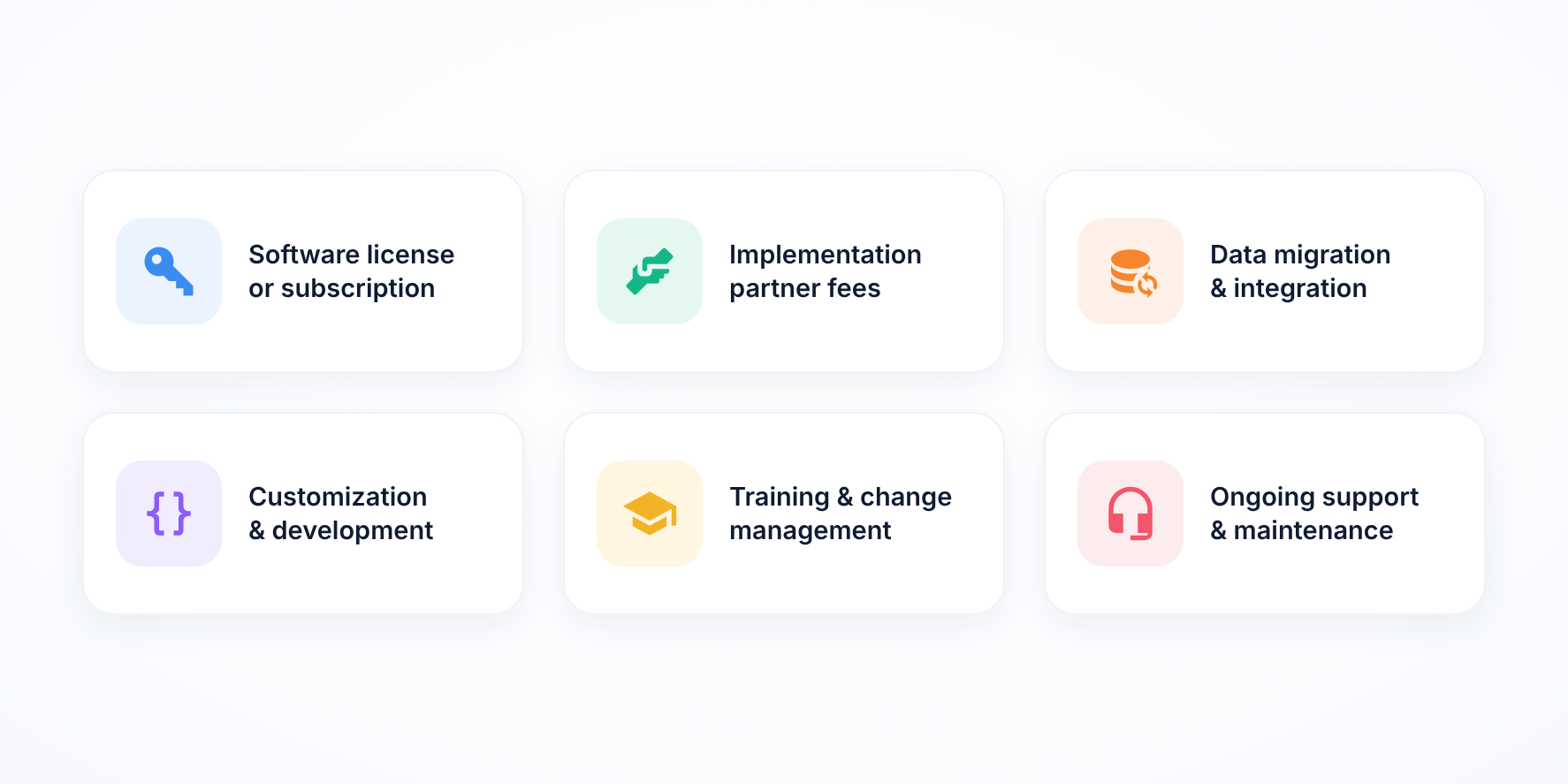
Businesses should budget for six cost areas: software, implementation services, data migration and integration, customization, training and change management, and ongoing support. There is no single price for an ERP implementation, because the total depends on your scope, number of users and locations, data condition, and how much outside help you need.
Hidden costs are where most budgets break. Among over-budget projects in Panorama's 2026 ERP Report, 43.1% cited technical issues and 35.3% said project staffing had been underestimated in the original budget. Planning for each category below helps you avoid the same surprise.
ERP Software Licensing or Subscription Costs
Cloud ERP systems usually charge a recurring subscription, often per user or per module. On-premise systems typically involve a larger upfront license plus annual maintenance. Check what is included, such as storage, support, and upgrades, before comparing prices.
Implementation Partner and Consulting Fees
Many businesses work with the vendor or a certified partner for design, configuration, and project management. Fees depend on scope and hours. Ask for a clear statement of work so you know exactly what is and is not covered.
Data Migration and Integration Expenses
Cleaning, mapping, and loading data takes real effort, especially when records live in several systems. Each integration with accounting, eCommerce, shipping, or payment tools may also carry setup or connector costs.
Customization and Development Costs
Custom features cost money to build and keep costing money to test and maintain through every upgrade. Keep this line small by favoring standard workflows wherever possible.
Employee Training and Change Management
Budget for trainer time, documentation, and the hours employees spend learning instead of doing their regular work. Change management, including communication and post-launch coaching, belongs here too.
Ongoing Support and Maintenance
After go-live, plan for support plans, system administration, new user licenses, and future enhancements. These recurring costs are part of the true total cost of ownership.
ERP Implementation for Wholesale Distribution Businesses
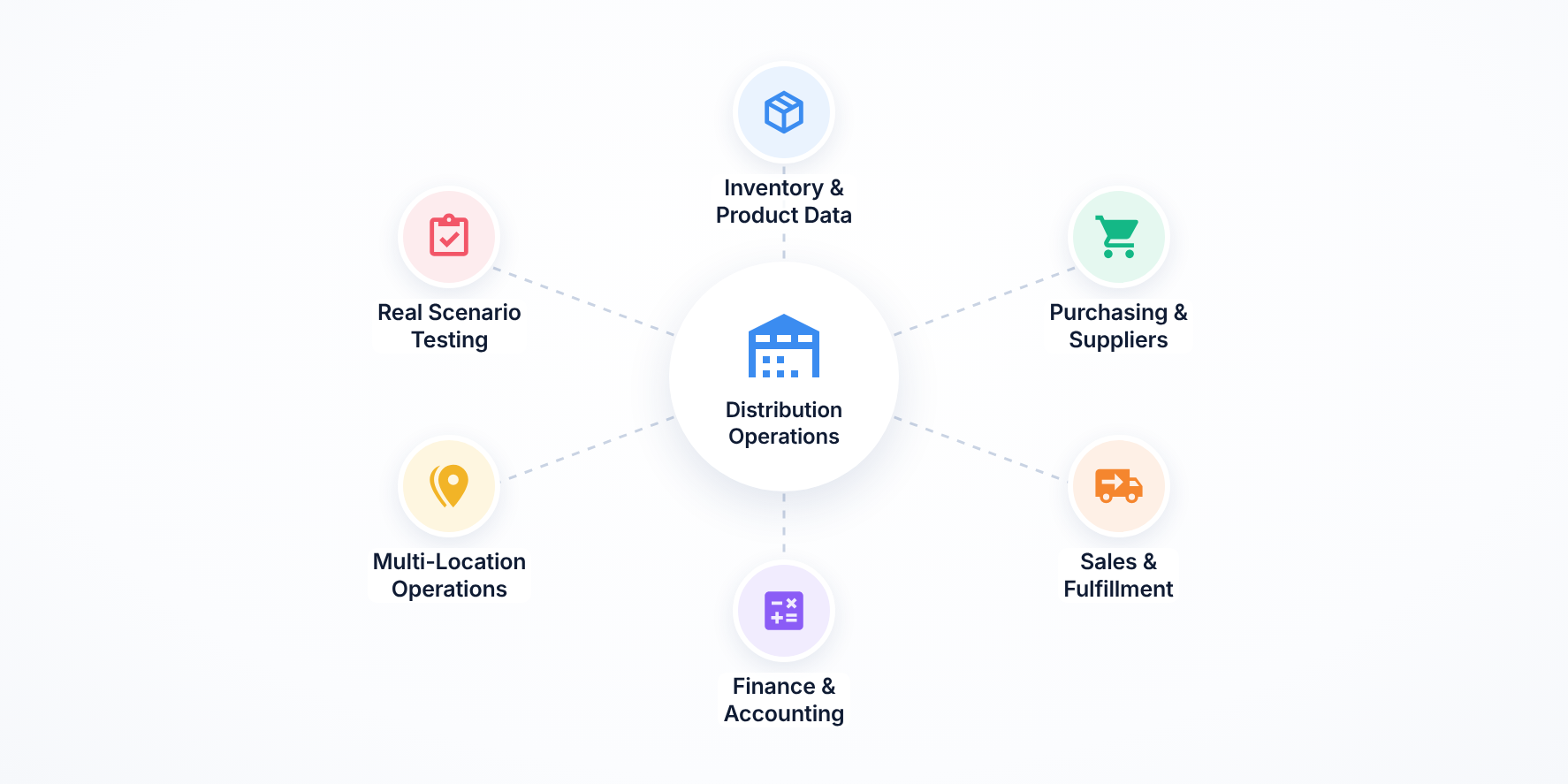
For distributors, an ERP implementation lives or dies on inventory, orders, and purchasing data. Thousands of SKUs, multiple units of measure, supplier lead times, and branch stock all have to line up. Trust in that data is often low to begin with. A recent Phocas survey of more than 100 wholesale distributors found that only 31% had high confidence in their inventory data.
Your product catalog is the backbone of every quote, order, and purchase order. Get it right before anything else.
Prepare product catalogs, SKUs, units of measure, and inventory records.
Validate warehouse and location-level stock information with a physical count where possible.
Identify duplicate and outdated product records, and retire them before migration.
Map Purchasing and Supplier Workflows
Purchasing decisions depend on accurate stock and supplier data. Map how buying really works today, including the informal steps.
Document purchasing processes and approval requirements.
Review supplier records, lead times, costs, and purchasing history.
Define how purchasing information should connect with inventory, so reorder decisions reflect real stock.
Configure Sales and Order Fulfillment
Orders are where customers feel the change first. Configure them around how your counter, inside sales, and delivery teams actually work.
Document customer and sales order workflows, from quote to invoice.
Map order processing, backorders, and partial shipments.
Identify how orders interact with available inventory across locations.
Align Financial and Operational Workflows
Every sale, purchase, and stock movement eventually becomes a financial record. Decide early how operations and accounting will share data. Our overview of ERP finance explains how these modules fit together.
Review accounting requirements and financial data, including how much history to bring over from QuickBooks or Sage.
Define how sales, purchasing, and operational transactions connect to financial processes.
More locations mean more ways for stock and processes to drift apart. Standardize what should be shared and configure what should stay local.
Review warehouse and branch structures.
Define location-level inventory workflows, including transfers and replenishment.
Establish how teams will access and manage operational information across sites.
Test Real Distribution Scenarios
Before go-live, run the scenarios your team handles every week from start to finish:
Process a customer order.
Receive and record supplier inventory.
Transfer inventory between locations.
Handle backorders and partial shipments.
Validate the relevant financial and operational records.
For distributors, ERP implementation is never only a technical project. It is an operational transition that changes how products, orders, purchasing, and financial information move through the business every day.
How VitalGap Supports Connected Wholesale Distribution Operations
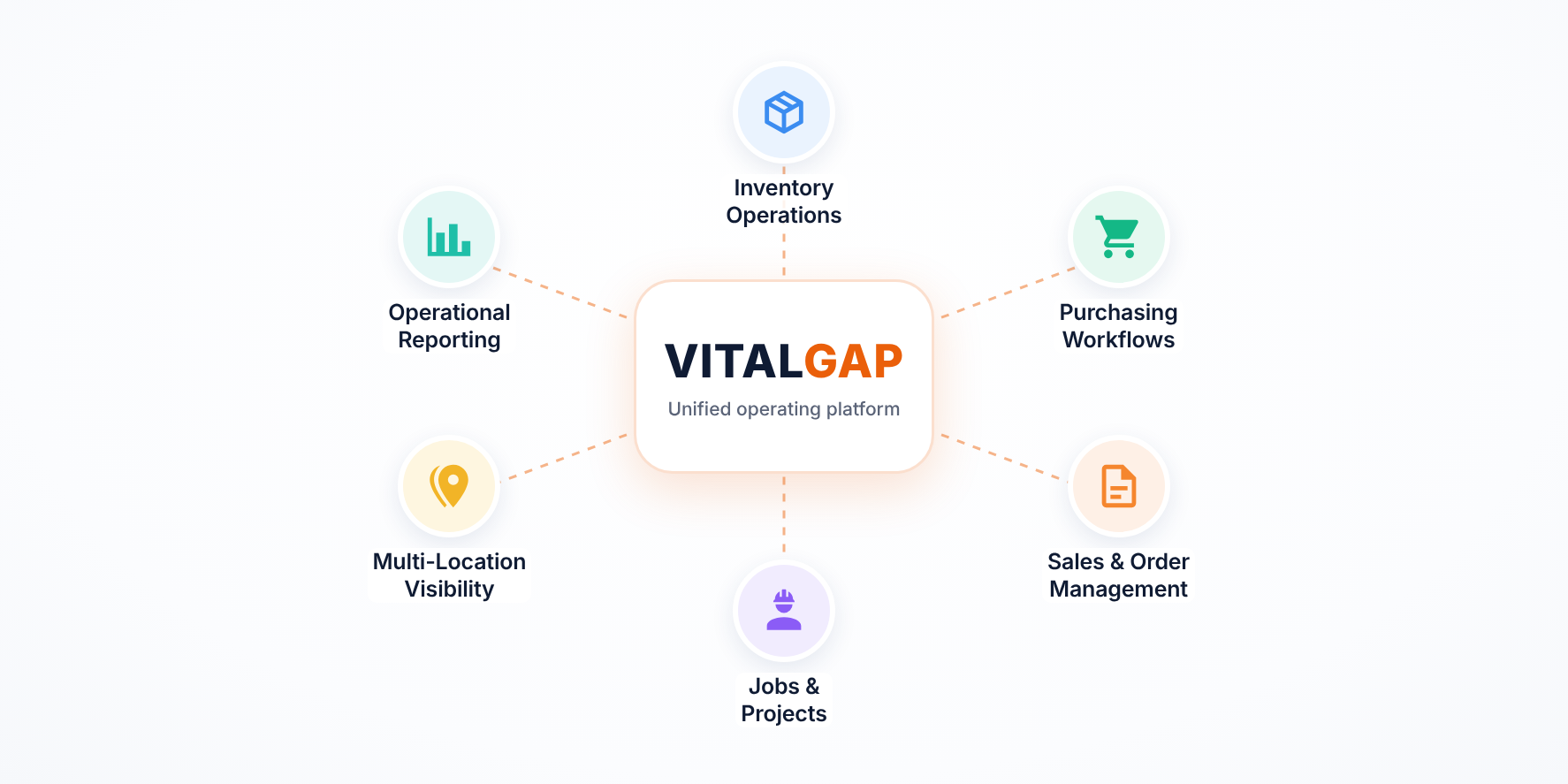
VitalGap is an AI-driven unified operating platform built for wholesale distribution. Instead of stitching separate tools together, it brings the workflows a distributor depends on into one connected system, so the implementation work above leads to a single source of truth.
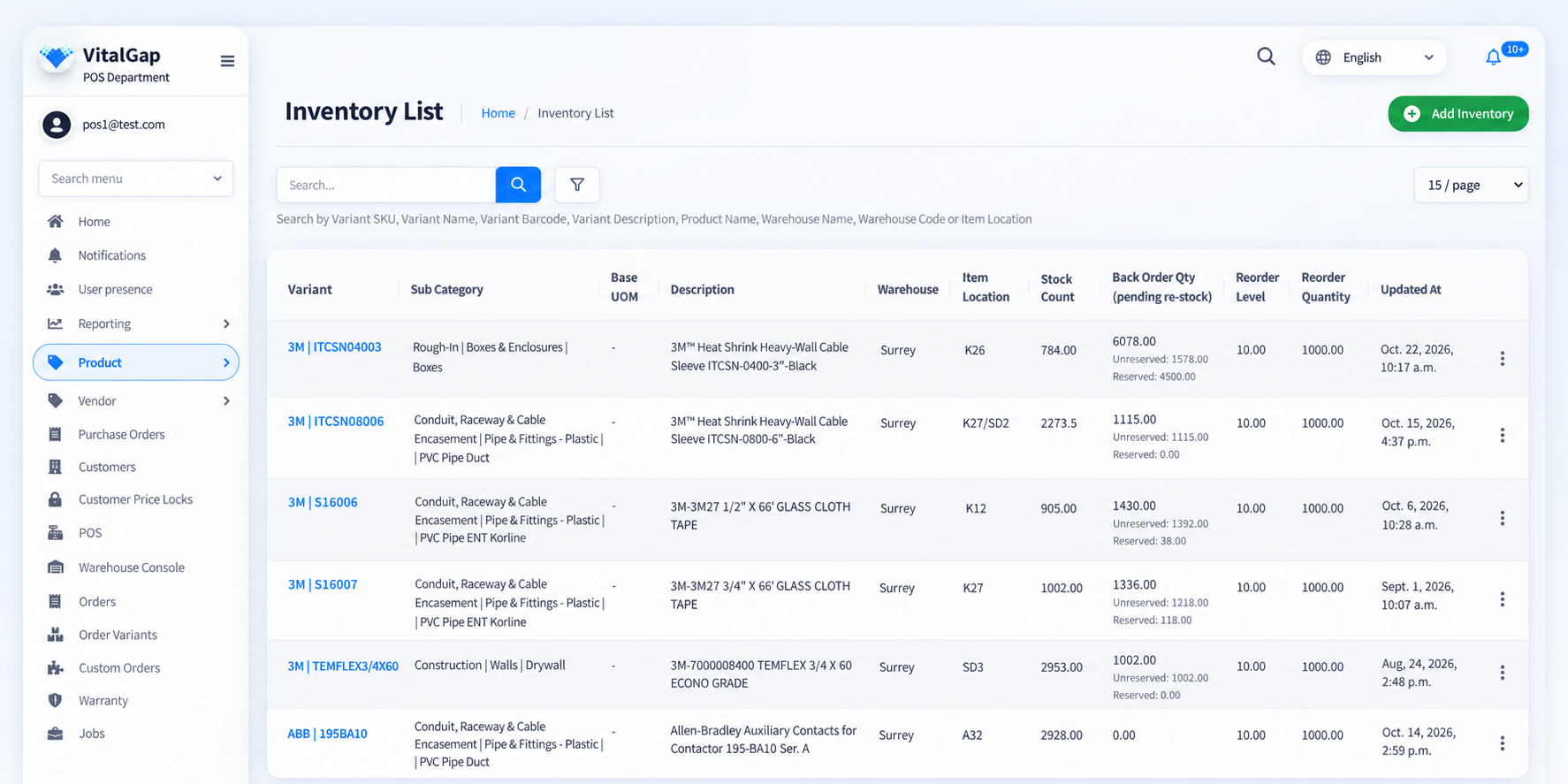
Connected inventory operations. Improve visibility into stock levels and movement with inventory management that ties directly to purchasing and sales.
Purchasing workflows. Connect buying activity with live inventory information through vendor management tools.
Sales and order management. Coordinate quotes, orders, backorders, and fulfillment with built-in order management.
Job and project-based distribution. Support inventory allocation and fulfillment for contractor jobs and projects with job management.
Multi-location visibility. Help teams coordinate distribution operations across branches and warehouses.
Operational reporting. Give decision-makers clearer visibility into business activity with reporting and insights.
Ready to connect your distribution operations? VitalGap helps wholesale distributors bring their core business workflows together on one platform. Talk to our team to see how it would fit your business.
ERP Implementation Checklist
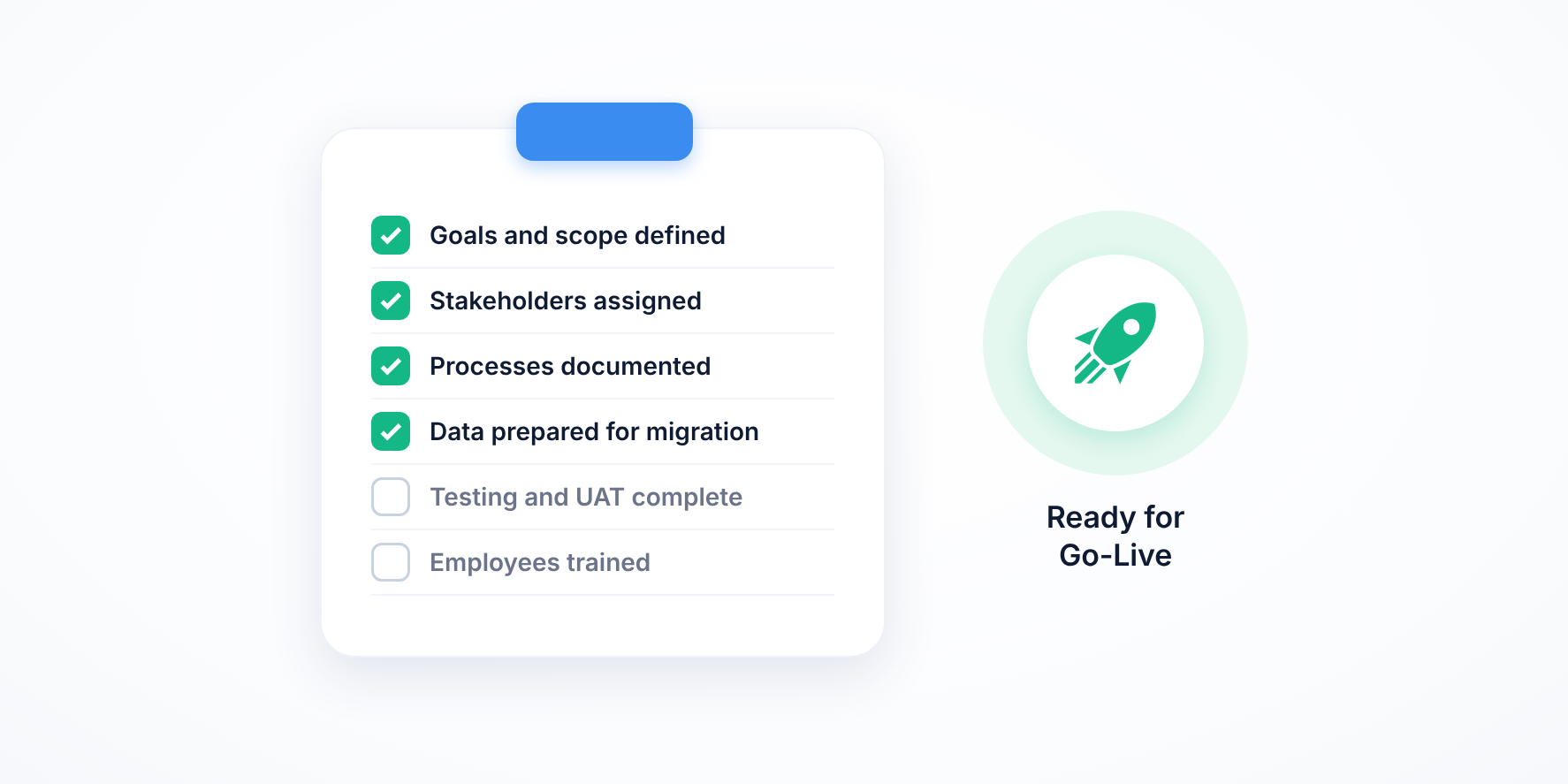
Use this checklist to track the milestones that matter most, from first goals to post-launch support.
Checklist item
Completion
☐ Define business goals and implementation scope
☐ Assign project stakeholders and responsibilities
☐ Document current business processes
☐ Finalize ERP requirements
☐ Prepare data for migration
☐ Configure workflows and integrations
☐ Complete system and user acceptance testing
☐ Train employees
☐ Approve the go-live plan
☐ Establish post-launch support
Final Words
An ERP system does not transform a business on its own. The implementation does. Clear goals, clean data, tested workflows, and well-trained people are what turn new software into faster orders, accurate stock, and better decisions.
Take it one phase at a time. Keep scope tight, involve the people who do the work, and keep improving after launch. For distributors, that discipline is what turns a software project into a stronger, more connected operation.